 MacMD Viewer
What Is Markdown? Plain-Text Formatting Explained (2026)
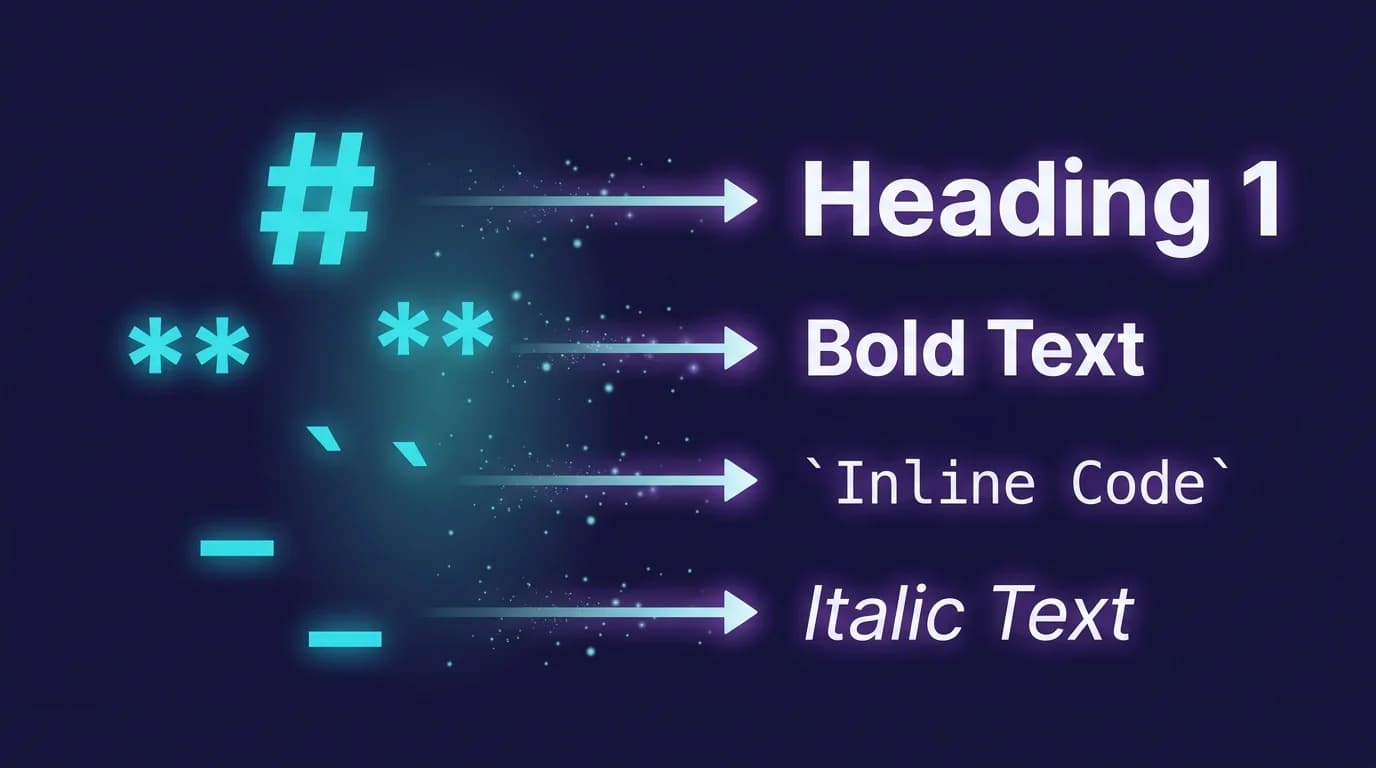
Markdown is a lightweight markup language that lets you format plain text using simple characters — # for headings, ** for bold, - for lists — and convert it into structured HTML. John Gruber and Aaron Swartz created Markdown in 2004 with a single design goal: the source text should be readable as-is, before any rendering happens (Daring Fireball, 2004). Twenty-two years later, that decision made Markdown the default format for technical writing, documentation, and developer communication across the entire software industry.
In one line: Markdown is a plain-text formatting syntax created by John Gruber in 2004 that converts simple characters (
#,**,-) into structured HTML; it became the universal standard for technical documentation because source files remain readable before rendering.
GitHub now hosts over 630 million repositories (GitHub Octoverse, 2025), and virtually every one contains at least one .md file. The 2025 Stack Overflow Developer Survey ranked Markdown as the most admired sync tool for the third consecutive year (Stack Overflow, 2025). If you write code, notes, documentation, or blog posts, understanding what Markdown is — and why it won — saves you time every day.
630 million repositories on GitHub contain Markdown files for READMEs, changelogs, and documentation (GitHub Octoverse, 2025). The 2025 Stack Overflow Developer Survey named Markdown the most admired sync tool for the third year running (Stack Overflow, 2025).
What Is Markdown and Why Was It Created?
Markdown is a plain-text formatting syntax paired with a conversion tool that transforms that syntax into valid HTML. Gruber published the first version — a Perl script called Markdown.pl — on his site Daring Fireball on March 19, 2004 (Daring Fireball, 2004). The motivation was frustration with HTML: writing <strong>bold</strong> and <a href="...">links</a> by hand was tedious and made source files difficult to read.
Markdown drew inspiration from earlier plain-text conventions used in email and Usenet posts, including setext (circa 1992), Textile (2002), and reStructuredText (Wikipedia, 2026). The key difference was Gruber's emphasis on readability. A Markdown file should look natural — almost like a document you would write without any formatting tools at all.
Here is what raw Markdown looks like:
# Project Title

A short description of the project.

## Installation

Run `npm install my-package` to get started.

## Features

- **Fast** rendering
- Syntax highlighting for common languages
- Live preview with file watching
That file renders into a formatted page with headings, a code snippet, bold text, and a bulleted list. No angle brackets, no closing tags, no XML attributes. The syntax follows the CommonMark specification (version 0.31.2, released January 2024), which standardizes parsing rules across over 600 test cases.
Markdown was created by John Gruber and Aaron Swartz in 2004 as a plain-text formatting syntax that converts to valid HTML (Daring Fireball, 2004). The CommonMark specification (version 0.31.2, 2024) now standardizes the syntax across over 600 test cases, ensuring consistent rendering on every compliant parser (CommonMark, 2024).
How Does Markdown Syntax Work?
Understanding what is Markdown at a practical level means learning how its syntax maps simple characters to HTML elements. You type a few symbols, and the parser converts them into the correct tags. Here are the elements you will use most often.
Headings
Hash characters (#) set heading levels from <h1> through <h6>:
# Heading 1
## Heading 2
### Heading 3
Always leave a blank line before and after headings. Never skip levels — jumping from ## to #### breaks accessibility and document outline. For a complete heading reference, see the markdown text formatting guide.
Emphasis (bold, italic, strikethrough)
Asterisks and underscores control text emphasis:
**bold text**
*italic text*
***bold and italic***
~~strikethrough~~
Strikethrough (~~) is a GitHub Flavored Markdown (GFM) extension, not part of the core CommonMark spec. Most modern parsers support it. For a dedicated walkthrough, read the markdown strikethrough guide.
Links and images
Links use square brackets for the text and parentheses for the URL:
[MacMD Viewer](https://macmdviewer.com)
Lists
Unordered lists use -, *, or +. Ordered lists use numbers followed by a period:
- First item
- Second item
  - Nested item

1. Step one
2. Step two
For advanced list patterns — nested lists, task lists, definition lists — the markdown lists guide covers every edge case.
Code blocks
Inline code uses single backticks. Fenced code blocks use triple backticks with an optional language identifier:
Inline: `const x = 42`

```javascript
function greet(name) {
  return `Hello, ${name}`;
}
```
Blockquotes
A greater-than sign (>) creates a blockquote:
> This is a blockquote.
> It can span multiple lines.
The markdown blockquote guide explains nested quotes, multi-paragraph quotes, and combining quotes with other elements.
Tables
Tables use pipes (|) and hyphens (-):
| Feature       | Supported |
|---------------|-----------|
| Bold          | Yes       |
| Strikethrough | GFM only  |
Tables are a GFM extension. If you work with tabular data frequently, the markdown table generator builds tables from your data without manual pipe alignment. If your data already lives in a spreadsheet, the CSV to Markdown tool converts it to a table in one paste.
Where Is Markdown Used Today?
Knowing what is Markdown only matters if you know where it is actually used. Markdown's adoption extends far beyond README files — here are the platforms and workflows where it serves as the default format.
Software development
Every major code hosting platform — GitHub, GitLab, Bitbucket — renders Markdown natively. READMEs, pull request descriptions, issue comments, wiki pages, and changelogs are all written in Markdown. GitHub Flavored Markdown adds task lists, tables, autolinked references, and syntax-highlighted code fences to the base spec (GitHub Docs, 2025).
Documentation and static sites
Static site generators — Hugo, Jekyll, Gatsby, Docusaurus, Astro, Next.js — use Markdown or MDX (Markdown with JSX components) as their content format. Write your docs in .md files, and the generator produces a full website. This approach separates content from presentation, making docs version-controllable and portable. Rendering Markdown inside a React app instead? See the React Markdown rendering guide.
Note-taking and knowledge management
Obsidian, Bear, Notion, Logseq, and Joplin all store notes as Markdown files. Your notes are never locked into a proprietary format. If you switch apps, your .md files move with you — no export step, no data loss.
Team communication
Slack supports a subset of Markdown for message formatting (markdown in Slack). Discord supports a broader set, including code blocks and spoiler tags (Discord markdown formatting). Both platforms recognize that developers already think in Markdown.
AI and agents
Markdown is the default format across GitHub (630M repositories), Slack, Discord, Obsidian, and every major static site generator (GitHub Octoverse, 2025). Its adoption spans software development, documentation, note-taking, team communication, and AI agent configuration.
In 2026, Markdown has become the interface language for AI systems. Anthropic's CLAUDE.md, the community-driven AGENTS.md standard (now hosted by the Linux Foundation's Agentic AI Foundation), and the llms.txt convention all use Markdown to communicate instructions to language models (Save Markdown, 2026). Every major AI lab — including OpenAI, Anthropic, and Google — outputs responses in Markdown format.
What Is the Difference Between Markdown and HTML?
The question "what is Markdown compared to HTML" comes up often. Markdown is not a replacement for HTML — it is a shorthand for the most common HTML elements. Gruber designed Markdown to handle the 80% of formatting tasks that come up in everyday writing. For anything beyond that, you can embed raw HTML directly inside a Markdown file.
| Aspect | Markdown | HTML |
|---|---|---|
| Learning curve | Minutes | Hours to days |
| Readability | High (source is readable) | Low (tags obscure content) |
| Feature set | Common elements only | Full web rendering |
| Portability | Any text editor | Requires a browser or parser |
| Use case | Docs, notes, READMEs | Web pages, apps, email templates |
A practical example makes the difference obvious:
HTML:
<h2>Installation</h2>
<p>Run <code>npm install</code> to get started.</p>
<ul>
  <li><strong>Fast</strong> setup</li>
  <li>Zero configuration</li>
</ul>
Markdown equivalent:
## Installation

Run `npm install` to get started.

- **Fast** setup
- Zero configuration
The Markdown version has fewer characters, no closing tags, and reads naturally. For documents that need advanced layouts, embedded scripts, or interactive elements, HTML remains the right tool. For everything else, Markdown is faster to write, easier to review, and simpler to maintain.
Markdown is a shorthand for common HTML elements — headings, emphasis, links, lists, code blocks — not a replacement for HTML. It handles 80% of everyday formatting tasks with fewer characters and no closing tags. For advanced layouts or interactive elements, raw HTML can be embedded directly inside any Markdown file.
If you need to convert between the two formats, the Markdown to HTML converter handles the transformation instantly.
How Do You Preview and Render Markdown Files?
Once you understand what is Markdown, the next step is previewing it. Writing is half the workflow. Seeing the rendered output — with proper heading hierarchy, formatted tables, and syntax-highlighted code — is the other half.
Online viewers
Browser-based tools like the Markdown preview tool let you paste or upload a .md file and see the rendered HTML immediately. No installation, no account required. These work well for quick checks.
Editor extensions
VS Code includes a built-in Markdown preview panel (Ctrl+Shift+V). Sublime Text, IntelliJ, and Vim all have Markdown preview plugins. The preview updates as you type, which is useful when editing.
Native desktop viewers
For developers who work with Markdown files daily, a dedicated viewer provides a better experience than a browser tab or editor panel. MacMD Viewer is a native macOS application built specifically for reading .md files. It watches the file system for changes, re-renders automatically, supports Mermaid diagrams, provides syntax highlighting for common languages, and integrates with macOS Quick Look so you can preview any .md file from Finder by pressing Space.
Unlike editor extensions, a native viewer keeps your editor focused on editing and your viewer focused on rendering. The separation matters when you are working across multiple files or reviewing documentation written by someone else.
Terminal-based viewers
Tools like glow and mdcat render Markdown directly in the terminal with ANSI formatting. These are useful for reading READMEs from the command line without leaving your workflow.
To preview Markdown files, developers use online viewers for quick checks, editor extensions like VS Code's built-in panel for real-time editing, or native desktop applications like MacMD Viewer for daily use with file watching, Mermaid diagrams, and macOS Quick Look integration.
For a comprehensive comparison of all viewer types, see the best markdown viewer roundup.
What Are Common Markdown File Extensions?
The most common extension is .md. Some tools also recognize .markdown, .mdown, .mkd, and .mkdn, but .md is the standard used by GitHub, GitLab, VS Code, and every major platform. The what is an MD file guide covers file extensions, MIME types, and how different operating systems handle .md files.
A related extension is .mdx, which combines Markdown with JSX components. MDX is used in documentation sites and blogs built with React-based frameworks like Next.js, Docusaurus, and Astro. It lets you embed interactive components — charts, code playgrounds, callouts — directly inside Markdown content.
What Is CommonMark and Why Does It Matter?
Gruber's original Markdown specification was intentionally informal. It described the syntax through examples rather than strict rules, which led to different parsers interpreting edge cases differently. A heading without a blank line before it might render correctly in one parser and fail in another.
CommonMark, started in 2014 by John MacFarlane, is a formal specification that resolves these ambiguities. Version 0.31.2, released January 2024, defines over 600 test cases that parsers must handle identically (CommonMark, 2024). GitHub Flavored Markdown (GFM) builds on CommonMark by adding tables, task lists, autolinks, and strikethrough (GitHub GFM Spec, 2019).
CommonMark (version 0.31.2, January 2024) is a formal specification that resolves ambiguities in Gruber's original Markdown syntax by defining over 600 test cases for consistent parsing (CommonMark, 2024). GitHub Flavored Markdown extends CommonMark with tables, task lists, autolinks, and strikethrough (GitHub GFM Spec, 2019).
If you are choosing a Markdown parser for a project, pick one that implements CommonMark. This ensures your files render consistently regardless of the tool or platform reading them.
How Do You Get Started with Markdown?
Starting with Markdown takes less than five minutes:
- Create a file. Open any text editor, create a new file, and save it as
notes.md. - Write some content. Add a heading (
## My Notes), a paragraph, a list, and a bold word. No special mode required. - Preview the output. Use the Markdown preview tool to see the rendered result, or open the file in MacMD Viewer on macOS for a native preview with live reload.
- Learn more syntax. The markdown cheat sheet covers every element — headings, emphasis, links, images, tables, code blocks, footnotes, and math equations — with copy-paste examples.
Now you know what is Markdown, where it is used, and how to write it. The complete syntax can be learned in an afternoon. The patterns become muscle memory within a week. The cheat sheet exists for the edge cases you encounter once a month.
Frequently Asked Questions
Is Markdown a programming language?
No. Markdown is a markup language — it describes how text should be formatted, not how a computer should execute logic. It has no variables, loops, conditionals, or functions. It is closer to HTML than to Python or JavaScript. You write Markdown in any text editor, and a parser converts it to HTML.
Can I use Markdown outside of coding?
Yes. Markdown is widely used in note-taking apps (Obsidian, Bear, Notion), academic writing (Pandoc converts Markdown to PDF, LaTeX, or DOCX), blogging platforms (Ghost, Hugo, Jekyll), and team communication tools (Slack, Discord, Teams). You do not need to be a developer to benefit from Markdown's simplicity.
What is the difference between Markdown and rich text?
Rich text formats like .docx and .rtf embed formatting instructions as binary data — you need a specific application to read them. Markdown stores formatting as plain-text characters (**bold**, # Heading) that are readable in any text editor. This makes Markdown files smaller, more portable, and version-control friendly.
How does Markdown handle advanced formatting like math or diagrams?
The base Markdown spec does not support math or diagrams. Extensions add these capabilities: LaTeX-style math equations use $ delimiters (see the markdown math equations guide), and Mermaid diagrams use fenced code blocks with the mermaid language tag. Many renderers support both natively — MacMD Viewer, for instance, renders Mermaid diagrams natively.
Which Markdown flavor should I use?
Use CommonMark as your baseline. If you publish on GitHub, use GitHub Flavored Markdown (GFM), which adds tables, task lists, and strikethrough to CommonMark — our GitHub Markdown guide covers the full GFM spec plus GitHub's proprietary renderer features like alerts, math, and Mermaid. If you need embeddable components, consider MDX. For documentation, most static site generators accept all three. The markdown cheat sheet indicates which elements are CommonMark, which are GFM, and which require extensions.
Content licensed under CC BY 4.0. Cite with attribution to MacMD Viewer.