Marked 2 Alternative? MacMD vs Marked 2 (QuickLook)
Marked 2 alternative on Mac: MacMD Viewer adds Finder QuickLook and themes; Marked 2 wins on custom CSS and export. Compare both.
MacMD Viewer is a native SwiftUI Markdown viewer — open any .md file and it renders instantly with Mermaid diagrams, syntax highlighting, and a QuickLook extension for Finder. No Chromium, no subscription, no account. $19.99 one-time.
Learn more about Marked 2 on their official site, or see all MacMD Viewer features.
- Running on 250+ Macs
- 4.3 on Trustpilot
- On Homebrew & Setapp
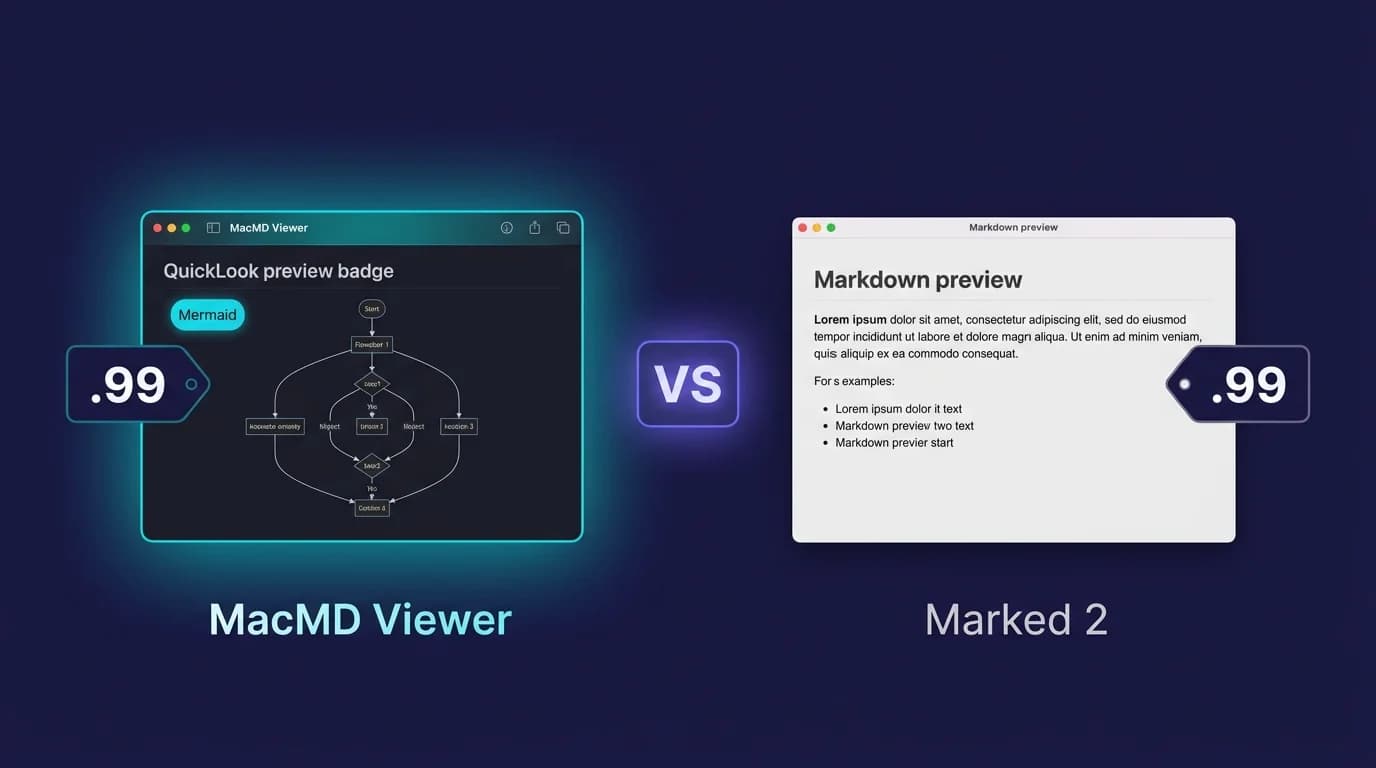
MacMD Viewer wins on built-in Finder QuickLook, 12 document themes and active development; Marked 2 wins on custom CSS, seven export formats and writing statistics, and costs $13.99 — but Finder preview means buying Marked QL separately, and Marked 2 has been maintenance-only since Marked 3 shipped in May 2026.
How Does MacMD Viewer Compare to Marked 2?
| Feature | MacMD Viewer | Marked 2 |
|---|---|---|
| Native macOS | Yes (SwiftUI) | Yes (AppKit) |
| Mermaid diagrams | Yes (Mermaid 11.13.0) | Yes (2.6.46+, opt-in checkbox) |
| QuickLook | Yes (built in) | No (separate app: Marked QL, $9.99) |
| Editing | No | No |
| Price | $19.99 | $13.99 |
| Live reload | Yes (file-system events) | Yes (on save) |
| Apple Silicon native | Yes | Yes |
| Dark mode | Yes (auto) | Yes |
| Built-in document themes | Yes (12) | Yes (bundled styles) |
| Custom CSS | No | Yes |
| Export options | Print to PDF | PDF, DOCX, .doc, RTF, RTFD, ODT, HTML |
| App size | 5.4 MB DMG, ~16 MB installed | 20.6 MB (Mac App Store) |
| Still getting new features | Yes | No (maintenance-only since Marked 3) |
$19.99 one-time · 14-day money-back · No subscription
What Does Each Tool Cost Over Time?
| Period | MacMD Viewer | Marked 2 |
|---|---|---|
| Purchase price | $19.99 | $13.99 |
| After 1 year | $19.99 | $13.99 |
| After 3 years | $19.99 | $13.99 |
Both MacMD Viewer and Marked 2 are one-time purchases. No recurring costs.
What Are the Pros and Cons?
MacMD Viewer
Pros
- +QuickLook extension built in — preview .md in Finder with the Spacebar, no second purchase
- +12 built-in document themes, light and dark, in the app and in QuickLook
- +Small native SwiftUI footprint — 5.4 MB DMG, about 16 MB installed
- +Live reload from any external editor, on file-system events rather than on save
- +Modern SwiftUI architecture, Apple Silicon native, still shipping features
- +Registers as the default .md handler on macOS
Cons
- -Fewer features than Marked 2 (no custom CSS, no DOCX/HTML/ODT export)
- -No writing statistics or multi-file project view
- -No custom preprocessor support
- -Costs more up front ($19.99 vs $13.99)
Marked 2
Pros
- +Custom CSS themes and styling — arbitrary stylesheets, not a fixed set
- +Export to PDF, DOCX, .doc, RTF, RTFD, ODT and HTML
- +Custom preprocessor support (Pandoc, MultiMarkdown, scripts)
- +Multi-file navigation
- +Word count, reading time and readability statistics
- +Mature, stable product and cheaper at $13.99
- +Finder preview is available from the same developer via Marked QL ($9.99, separate app)
Cons
- -No built-in QuickLook — Finder preview requires Marked QL, a separate $9.99 purchase
- -Maintenance-only since Marked 3 shipped in May 2026 — last feature release was 2.6.46 in March 2025
- -Its successor, Marked 3, moves to subscription pricing
- -Built with older AppKit framework
- -More features than a pure reader needs
- -Spelling and grammar checking is a $1.99 in-app purchase
When Should You Choose Marked 2 vs MacMD Viewer?
Choose Marked 2 if:
- →You need to write and edit Markdown files, not just read them
- →You work across Mac, Windows, and Linux
- →You prefer a WYSIWYG or split-pane editing experience
Choose MacMD Viewer if:
- →You primarily read and review Markdown files, not write them
- →You want QuickLook preview: press Space in Finder to see any .md file rendered
- →You need Mermaid diagram rendering without plugins or configuration
- →You want a native macOS app that launches instantly and uses minimal resources
$19.99 one-time · 14-day money-back · No subscription
MacMD Viewer vs Marked 2: Two Mac Markdown Readers Compared
MacMD Viewer and Marked 2 are both dedicated Markdown readers for Mac — not editors — and both render Mermaid diagrams natively. The real split: MacMD Viewer ships Finder QuickLook in the box and keeps a small native footprint, while Marked 2 is the more powerful (and cheaper) tool, adding arbitrary custom CSS, seven export formats, and writing statistics. Two things changed in 2026 that this page did not previously reflect, and both matter to the choice: Marked 3 arrived in May, pushing Marked 2 into maintenance mode, and in July the same developer released Marked QL, a standalone Quick Look extension sold separately. Everything below was re-checked on 29 July 2026 against the Mac App Store listing, the Marked help documentation and Brett Terpstra's release posts.
What Is Marked 2?
Marked 2 is a Markdown preview app that has been available on the Mac App Store for years. It was created by Brett Terpstra and has built a loyal following among writers and bloggers. The app focuses on rendering Markdown with customizable styles, export options, and writing statistics. It is a genuinely good app, and on several axes below it beats MacMD Viewer outright.
Marked 2 costs $13.99 on the Mac App Store (version 2.6.46, macOS 10.13 or later, 20.6 MB, seller Brett Terpstra — verified 29 July 2026). Brett also sells a non-sandboxed direct build through Paddle on marked2app.com with a 7-day trial; that page does not list a price, so the $13.99 figure on this page is the Mac App Store one. Marked 2 is a native macOS app built with AppKit (the framework that preceded SwiftUI). It supports custom CSS themes, export to seven formats, custom preprocessors, and — since version 2.6.46, released 11 March 2025 — Mermaid diagram rendering.
One nuance on "one-time purchase with no subscription": that is true of the Marked 2 base app, but spelling and grammar checking is a $1.99 in-app purchase on top. It is a small amount, and it is worth stating rather than glossing over.
Marked 3 Is Out — What That Means for Marked 2
Marked 3 shipped on 18 May 2026, and marked2app.com itself now carries a "Marked 3 is out!" banner. It adds true DOCX output, CommonMark GFM parsing, a Style Manager and Style Editor, and custom rules. It also changes the business model: Marked 3 is subscription-led, at a $2.99/month introductory price with a higher perpetual unlock available.
Marked 2 has not been discontinued. Brett was explicit when he announced the successor: Marked 2 "will continue to be available for those who don't need everything Marked 3 offers. It will always be a one-time purchase, but won't see a lot of updates, other than to keep it running as new OS versions come out."
That is a fair deal and an honest one — but it does change what you are buying. Marked 2's last feature release is 2.6.46 from March 2025, sixteen months of compatibility maintenance and no new capabilities. If you want the app you buy today to keep growing, the Marked line points you at a subscription. MacMD Viewer is $19.99 once and is still shipping features. If you want a frozen, stable, cheap tool that does a lot already, Marked 2 in maintenance mode is exactly that, and there is nothing wrong with it.
What Is MacMD Viewer?
MacMD Viewer is a newer Markdown reader built with SwiftUI for modern macOS. It costs $19.99 and focuses on clean rendering with built-in Mermaid diagrams, syntax highlighting, 12 document themes, and a QuickLook extension. It is designed to be the fastest way to read Markdown files on a Mac — including previewing them in Finder without opening the app. It is built by a solo developer and requires macOS 14 or later.
The Key Differences
QuickLook in Finder: Built In vs a Second Purchase
This is still the clearest reason to pick MacMD Viewer over Marked 2, but the honest version of the argument is narrower than it used to be.
MacMD Viewer installs a QuickLook extension with the app: select any .md file in Finder and press Space to see it rendered with full formatting — headings, code blocks, tables, and Mermaid diagrams — in whichever of the 12 document themes you have chosen. It works throughout macOS: Finder, Spotlight, and Open/Save dialogs. Nothing extra to buy, nothing extra to install.
Marked 2 itself does not provide a QuickLook extension, and that remains true today — the Marked help documentation contains no mention of Quick Look. To preview a file in Marked 2, you open it in the app.
What changed: on 9 July 2026 Brett Terpstra released Marked QL, a standalone Quick Look extension that renders Markdown in Finder on Spacebar, with its own toggles for Mermaid and syntax highlighting. It launched at $4.99 and is $9.99 on the Mac App Store today (v1.0.9, macOS 13 or later). It is a separate product: it ships with neither Marked 2 nor Marked 3, and buying either one does not give it to you.
So the accurate framing is not "Marked 2 cannot do Finder preview, full stop". It is that Finder preview in the Marked ecosystem is a second app and a second purchase — $13.99 + $9.99 = $23.98, against $19.99 for MacMD Viewer with the extension included. If Spacebar preview is a core part of how you work, MacMD Viewer is cheaper and simpler. If you already own Marked 2 and only occasionally want Finder preview, $9.99 for Marked QL is a perfectly sensible answer and cheaper than switching apps.
Mermaid Diagrams (Both Support Them)
Both apps render Mermaid diagrams inline — flowcharts, sequence diagrams, state machines, and Gantt charts. MacMD Viewer bundles Mermaid 11.13.0 and renders it out of the box, with nothing to switch on.
Marked 2 added Mermaid in version 2.6.46, released 11 March 2025. In Brett's own description it is a checkbox rather than a bundled renderer: "Mermaid has its own checkbox", under Settings → Style → Additional Scripts. Tick it and diagrams render inline.
If Mermaid rendering is your only requirement, either app works — it has not been a deciding factor between the two since March 2025, and any comparison telling you otherwise is out of date.
Themes and Custom CSS
For custom CSS, Marked 2 is the winner, and by a wide margin. It accepts arbitrary stylesheets — write your own, or download a community theme — so you can make the preview match the exact site or publication your text is headed for. That is a genuinely different capability, not a bigger menu, and it is the right choice for anyone doing pixel-perfect proofing.
MacMD Viewer is not themeless, though. It ships 12 document themes, light and dark, and they apply in the app and in the QuickLook preview alike, so the Finder preview looks like the app rather than like a fallback. What MacMD Viewer does not let you do is supply your own CSS: you pick from the 12, you do not write a thirteenth.
That is the real distinction — a curated fixed set versus an open stylesheet slot. If one of the 12 themes suits you, you will not feel the limit. If you need to reproduce a specific site's typography, Marked 2 is the tool for that job and MacMD Viewer will not get you there.
Export Options
For export formats, Marked 2 wins clearly and by more than this page used to credit. It outputs PDF, DOCX, .doc, RTF, RTFD, ODT and HTML — seven formats, documented on the Marked 2 Exporting help page. That makes it genuinely useful as part of a publishing workflow: write in your editor, preview in Marked 2, export to whatever the recipient needs, including the LibreOffice and legacy Word formats that trip most Markdown tools up.
MacMD Viewer focuses on reading, not exporting. You can use macOS Print > Save as PDF to create a PDF, but there is no built-in DOCX, ODT, RTF or HTML export, and none is planned as a headline feature. If export is a core part of your workflow, Marked 2 is the better tool and the $6 you save is a bonus on top.
Price
MacMD Viewer costs $19.99. Marked 2 costs $13.99 on the Mac App Store. Both are one-time purchases with no subscription — with two asterisks on the Marked side: spelling and grammar checking is a $1.99 in-app purchase, and Finder preview means Marked QL at $9.99.
Marked 2 is cheaper and more feature-rich, and if the feature list is what you are shopping for, it is the better value. MacMD Viewer costs more for a narrower job done completely: Finder QuickLook in the box, 12 themes, and a small native reader that is still being developed. Where the price comparison genuinely flips is the Quick Look combination — $19.99 all-in versus $23.98 across two apps — and the direction of travel, since new Marked features now live in a subscription product.
Architecture: SwiftUI vs AppKit
On architecture, MacMD Viewer has the modern edge — built with SwiftUI while Marked 2 uses AppKit, Apple's older NeXT-era framework — giving MacMD Viewer advantages in Apple Silicon optimization and a smaller footprint.
Both are native macOS apps — neither uses Electron. But SwiftUI brings advantages:
- Automatic dark mode support with proper system integration
- Better Apple Silicon optimization from the compiler level
- Smaller download and install — MacMD Viewer ships as a 5.4 MB DMG and takes about 16 MB installed; the Mac App Store lists Marked 2 v2.6.46 at 20.6 MB
- Modern layout system that adapts to different screen sizes naturally
Keep that size difference in proportion. 16 MB against 20.6 MB is a real gap in the right direction, but it is not the order-of-magnitude story you get comparing a native app to an Electron one — both of these are small, fast native apps, and neither will make your disk or your Dock notice. Size is a tiebreaker here, not an argument.
The genuine trade-off runs the other way too: AppKit is battle-tested and mature, and a decade of it is part of why Marked 2 is so stable. SwiftUI is where Apple is investing, and apps built with it pick up framework improvements automatically — but "newer framework" is a bet on the future, not a feature you can use today.
One compatibility note in Marked 2's favour: it runs on macOS 10.13 and later, while MacMD Viewer requires macOS 14. On an older Mac, Marked 2 is the one that runs.
Live Reload
Both MacMD Viewer and Marked 2 support live reload. Edit a file in your preferred editor and the preview refreshes without you touching it. This is table stakes for a Markdown viewer, and both apps handle it well.
The mechanics differ slightly. MacMD Viewer watches macOS file-system events, so the preview updates when the file changes on disk. Marked 2 refreshes on save — its App Store description says it "updates live every time you save your document" — which is the same thing for anyone whose editor saves normally, and a small difference if you rely on an editor that writes through a temporary file or a sync client that rewrites in place. Neither behaviour is better in the abstract; test it with your own editor if this matters to you.
Writing Statistics
For writing statistics, Marked 2 wins — it includes word count, character count, estimated reading time, and Flesch-Kincaid readability scoring, all features MacMD Viewer intentionally omits as a reader-only app. These are valuable for writers and content creators who need to hit specific length targets or readability levels.
MacMD Viewer does not include writing statistics. It is a reader, and these metrics are more relevant to writers. If you need them, your code editor or a dedicated writing tool likely provides them already.
Multi-File Navigation
For multi-file navigation, Marked 2 wins — it lets you open and browse multiple files in a single project view, while MacMD Viewer opens one file at a time with no built-in project browser. This is useful for projects with many interconnected Markdown files, like documentation sites or book manuscripts.
MacMD Viewer opens one file at a time. You can open multiple windows, but there is no built-in project browser. For single-file reading — which is the most common use case — this is fine. For large documentation projects, Marked 2 has the advantage.
Custom Preprocessors
For custom preprocessors, Marked 2 is the power-user choice — it lets you pipe Markdown through Pandoc, MultiMarkdown, or custom scripts before rendering, a capability MacMD Viewer's fixed pipeline does not support. This is a power-user feature that enables specialized Markdown extensions and workflows.
MacMD Viewer uses a fixed rendering pipeline with built-in support for CommonMark, GFM tables, Mermaid diagrams, and syntax highlighting. There is no way to add custom preprocessors. For most users, the built-in rendering covers everything they need. For users with specialized Markdown extensions, this is a limitation.
Who Should Choose MacMD Viewer?
Choose MacMD Viewer if you:
- Want QuickLook preview in Finder included — Spacebar to render any
.mdfile, no second app - Prefer a simpler, lighter, focused reading experience
- Want a themed reader — 12 document themes, applied in the app and in the Finder preview
- Want it to be the default
.mdhandler with live reload from any editor - Want the app you buy today to keep gaining features on a one-time price
- Do not need custom CSS, DOCX export, or writing statistics
Who Should Choose Marked 2?
Choose Marked 2 if you:
- Need arbitrary custom CSS for previewing, not a fixed set of themes
- Export to DOCX, ODT, RTF or HTML regularly
- Want writing statistics and readability scoring
- Use custom Markdown preprocessors (Pandoc, MultiMarkdown, scripts)
- Need multi-file project navigation
- Run macOS 10.13 to 13, where MacMD Viewer will not install
- Want more features for a lower price ($13.99), and are happy with an app that is now maintenance-only
- Want Finder preview too and would rather add Marked QL for $9.99 than change apps
The Bottom Line
The verdict: choose MacMD Viewer for Finder QuickLook in the box, 12 document themes, and a small native reader that is still being developed; choose Marked 2 for arbitrary custom CSS, seven export formats, writing statistics, preprocessors, and a lower price. Both are native Mac apps and both render Mermaid diagrams, so the decision comes down to integration and scope versus features and cost.
If Finder QuickLook preview is central to how you read Markdown, MacMD Viewer is the simpler buy — the extension is included at $19.99, whereas the Marked route is $13.99 plus $9.99 for Marked QL, a separate app released in July 2026 that ships with neither Marked 2 nor Marked 3. Spacebar previews save real time when you read a lot of Markdown, and one purchase beats two. For a wider comparison of native options, see the best Markdown viewers for Mac guide.
If you need export workflows, custom CSS, writing statistics, preprocessors, or the lowest price, Marked 2 is the more capable tool and it is the one to buy. It is stable, it is cheap, and Brett Terpstra has maintained it for years. Just buy it knowing what it is now: a finished product in maintenance mode, with new development happening in Marked 3 on a subscription. Both do the core job — rendering Markdown beautifully on a Mac — well.
All competitor facts on this page were re-verified on 29 July 2026 against the Mac App Store listing for Marked 2 (v2.6.46), the Marked help documentation, and Brett Terpstra's release announcements for Marked 3 (18 May 2026) and Marked QL (9 July 2026).
FAQ
Does Marked 2 have a QuickLook extension?
No. Marked 2 has no QuickLook extension — its help documentation does not mention Quick Look at all — so you open a file in the app to preview it. The nuance, new since July 2026: the same developer now sells Marked QL, a standalone Quick Look extension ($9.99 on the Mac App Store, v1.0.9, macOS 13+) that renders Markdown in Finder on Spacebar with Mermaid and syntax-highlighting toggles. It is a separate purchase and ships with neither Marked 2 nor Marked 3. MacMD Viewer includes its QuickLook extension at $19.99, rendering .md files with full formatting — headings, code blocks, tables, Mermaid diagrams — in Finder, Spotlight and Open/Save dialogs. Checked 29 July 2026.
Can Marked 2 export to other formats?
Yes, and more than most comparisons credit: PDF, DOCX, .doc, RTF, RTFD, ODT and HTML, all documented on its Exporting help page. That is a real strength in a publishing workflow. MacMD Viewer focuses on reading: you can use macOS Print > Save as PDF, but there is no built-in DOCX, ODT, RTF or HTML export. If export is a core feature for you, Marked 2 is the better tool. Checked 29 July 2026.
Does Marked 2 support custom CSS themes?
Yes, and this is one of the axes where Marked 2 beats MacMD Viewer outright. Marked 2 accepts arbitrary stylesheets, so you can write your own or download community themes to match a specific site's look exactly. MacMD Viewer is not themeless — it ships 12 document themes, light and dark, applied in the app and in the QuickLook preview — but you choose from those 12 and cannot supply your own CSS. Curated fixed set versus open stylesheet slot.
What is the app-size difference between MacMD Viewer and Marked 2?
MacMD Viewer ships as a 5.4 MB DMG and takes about 16 MB installed. The Mac App Store lists Marked 2 v2.6.46 at 20.6 MB. Both are native macOS apps with no Electron — MacMD Viewer is built with SwiftUI, Marked 2 with the older AppKit framework — and neither bundles a browser engine, so the gap is modest and neither app is heavy. Checked 29 July 2026.
Does Marked 2 offer writing statistics or multi-file navigation?
Yes. Marked 2 includes word count, character count, estimated reading time, readability scoring, and multi-file project navigation. MacMD Viewer opens one file at a time and does not include writing statistics — it is a focused reader, and those metrics are more relevant to writers, who usually have them in their editor already.
Is Marked 2 still being updated?
Only for compatibility. Brett Terpstra released Marked 3 on 18 May 2026 and said Marked 2 "will continue to be available for those who don't need everything Marked 3 offers. It will always be a one-time purchase, but won't see a lot of updates, other than to keep it running as new OS versions come out." Its last feature release was 2.6.46 in March 2025. Marked 3 is where new work happens, and it is subscription-led ($2.99/month introductory, with a higher perpetual unlock). MacMD Viewer stays $19.99 one-time and is still adding features. Checked 29 July 2026.
Both apps render CommonMark-compliant Markdown with GitHub Flavored Markdown extensions including tables and task lists.
Frequently Asked Questions
Is MacMD Viewer better than Marked 2?
MacMD Viewer wins on built-in Finder QuickLook, 12 document themes and active development; Marked 2 wins on custom CSS, seven export formats and writing statistics, and costs $13.99 — but Finder preview means buying Marked QL separately, and Marked 2 has been maintenance-only since Marked 3 shipped in May 2026.
How much does Marked 2 cost?
Marked 2 costs $13.99. MacMD Viewer costs $19.99 one-time with no subscription.
Does Marked 2 support Mermaid diagrams?
Yes, Marked 2 supports Mermaid diagrams.
Can I use Marked 2 and MacMD Viewer together?
Yes. Many developers write in Marked 2 and use MacMD Viewer for reading and QuickLook preview. MacMD Viewer watches files live, so edits made in any other app appear instantly.
Does Marked 2 support Apple Silicon natively?
Marked 2 supports Apple Silicon natively. MacMD Viewer is also built with SwiftUI and runs natively on Apple Silicon.
Which is better for developers, Marked 2 or MacMD Viewer?
It depends on your workflow. Marked 2 is designed for previewing alongside your editor. MacMD Viewer is designed for reading. Open any .md file with rendered Mermaid diagrams, syntax highlighting, and a QuickLook extension. Most developers use both: an editor for writing and MacMD Viewer for reading.
Compare MacMD Viewer with other Mac Markdown apps
Ready to try MacMD Viewer?
$19.99 one-time. No subscription. No account needed.