Typora Alternative for Mac? Reader vs Editor (2026)
Looking for a Typora alternative on Mac? Typora edits; MacMD Viewer reads — Finder Quick Look, Mermaid, $19.99 one-time. Side-by-side for 2026.
MacMD Viewer is a native SwiftUI Markdown viewer — open any .md file and it renders instantly with Mermaid diagrams, syntax highlighting, and a QuickLook extension for Finder. No Chromium, no subscription, no account. $19.99 one-time.
Learn more about Typora on their official site, or see all MacMD Viewer features.
- Running on 250+ Macs
- 4.3 on Trustpilot
- On Homebrew & Setapp
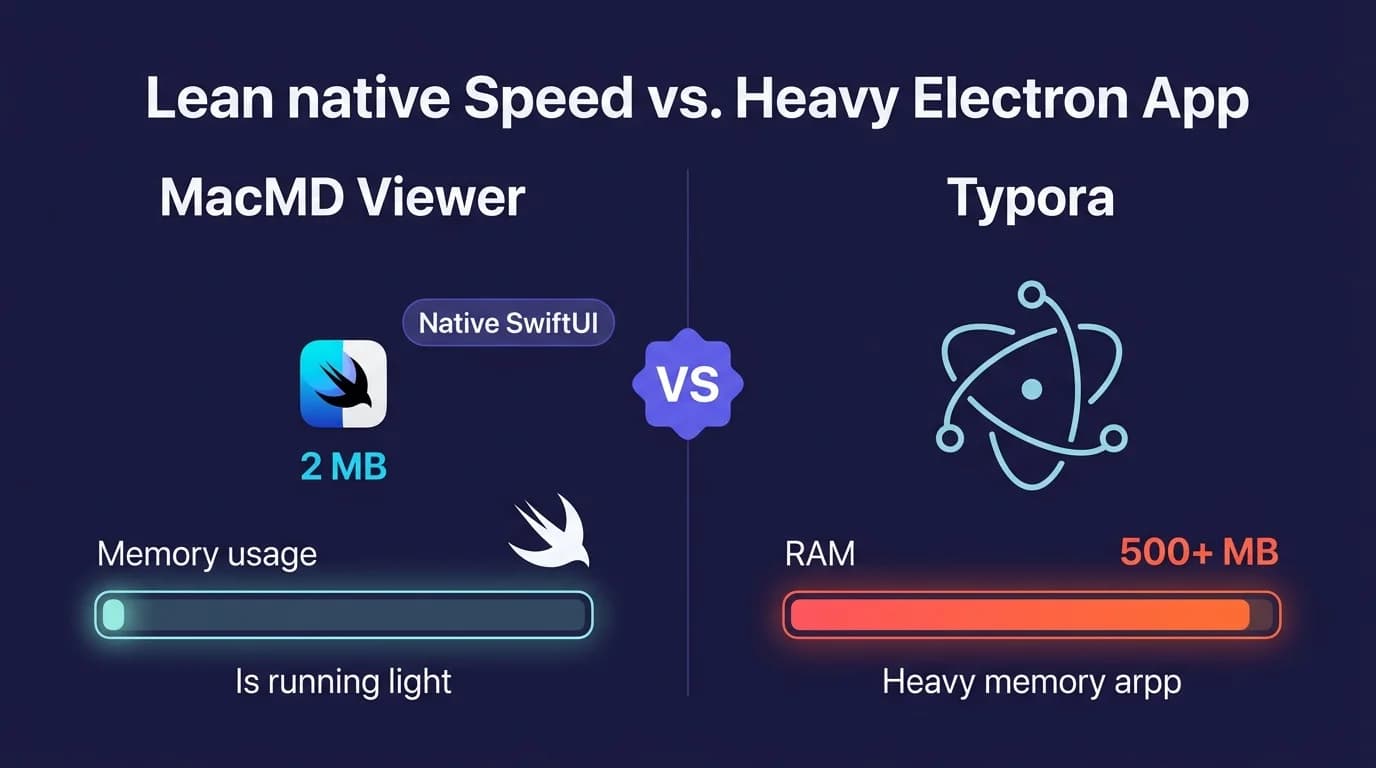
Both are native Mac apps. MacMD Viewer is better for reading — Quick Look in Finder, read-only, live reload. Typora is better for editing, export and math.
How Does MacMD Viewer Compare to Typora?
| Feature | MacMD Viewer | Typora |
|---|---|---|
| Native macOS | Yes (SwiftUI) | Yes (Cocoa/AppKit) |
| Apple Silicon native | Yes (universal) | Yes (universal) |
| QuickLook | Yes | No — no extension in the bundle |
| Read-only viewing | Yes | No — opens in an editable buffer |
| Editing | No | Yes — inline WYSIWYG |
| Mermaid diagrams | Yes — Mermaid 11.13.0 | Yes — inline while typing |
| Math (LaTeX/MathJax) | No | Yes — MathJax |
| Export | Yes — PDF | Yes — PDF, docx, OpenOffice, LaTeX, MediaWiki, Epub |
| Syntax highlighting | Yes — ~34 languages | Yes — ~100 languages (typora.io) |
| Live reload of external edits | Yes — read-only, keeps focus in your editor | Yes — reloads into the editor, can take focus |
| Document themes | Yes — 12 built-in | Yes — custom CSS themes |
| Free trial | No — 14-day refund instead | Yes — 15 days |
| Price | $19.99 one-time | $14.99 one-time, up to 3 devices |
| Minimum macOS | 14 Sonoma | 11 Big Sur |
| Download / installed size | 5.4 MB / ~16 MB | 13.8 MB / 44 MB |
| Cross-platform | No — Mac only | Yes — Mac, Windows, Linux |
$19.99 one-time · 14-day money-back · No subscription
What Does Each Tool Cost Over Time?
| Period | MacMD Viewer | Typora |
|---|---|---|
| Purchase price | $19.99 | $14.99 |
| After 1 year | $19.99 | $14.99 |
| After 3 years | $19.99 | $14.99 |
Both MacMD Viewer and Typora are one-time purchases. No recurring costs.
What Are the Pros and Cons?
MacMD Viewer
Pros
- +Native SwiftUI app built for one job — reading Markdown
- +QuickLook extension — Space bar preview in Finder, Spotlight and Open dialogs
- +Live file watching — edit in VS Code, the rendered view updates without taking focus
- +Read-only by design, so a file you opened to read cannot be changed by accident
- +Universal binary, 5.4 MB download (v1.5.1 appcast)
- +Mermaid 11.13.0 and 12 document themes
- +Registers as the default .md handler on macOS
Cons
- -No editing capability
- -Requires macOS 14 Sonoma — Typora runs back to macOS 11 Big Sur
- -No math notation (no LaTeX, no MathJax)
- -Exports to PDF only, where Typora exports to a dozen formats
- -Syntax highlighting covers about 34 languages against Typora's ~100
- -No free trial — a 14-day refund instead
- -No Windows or Linux support
- -No plugin ecosystem
Typora
Pros
- +Full WYSIWYG Markdown editor with inline rendering while typing
- +Native Cocoa/AppKit app, universal binary, Sparkle updates (verified 29 July 2026)
- +Exports to PDF with bookmarks, docx, OpenOffice, LaTeX, MediaWiki and Epub
- +MathJax mathematical notation
- +Syntax highlighting for around 100 languages
- +Focus mode and typewriter mode for long-form writing
- +File tree and document outline panels
- +Runs on macOS 11 Big Sur and later — older Macs than MacMD Viewer supports
- +15-day free trial before the $14.99 licence
- +Cross-platform (Mac, Windows, Linux)
- +Actively maintained — 1.14.6, binary dated 19 July 2026
Cons
- -No QuickLook extension — no Space bar preview in Finder
- -No read-only mode — a file opens in an editable buffer
- -Reloading an externally changed file can pull focus away from your editor (open issue
- -Larger on disk — 44 MB installed against MacMD Viewer's ~16 MB
- -Not designed as a companion preview window for an external editor
When Should You Choose Typora vs MacMD Viewer?
Choose Typora if:
- →You need to write and edit Markdown files, not just read them
- →You work across Mac, Windows, and Linux
- →You prefer a WYSIWYG or split-pane editing experience
Choose MacMD Viewer if:
- →You primarily read and review Markdown files, not write them
- →You want QuickLook preview: press Space in Finder to see any .md file rendered
- →You need Mermaid diagram rendering without plugins or configuration
- →You want a native macOS app that launches instantly and uses minimal resources
$19.99 one-time · 14-day money-back · No subscription
MacMD Viewer vs Typora: The Full Comparison
For reading Markdown on Mac, MacMD Viewer wins — QuickLook from Finder, read-only by design, and live reload from any editor. For editing with inline WYSIWYG, export and math, Typora wins. For the broader Mac Markdown app landscape, see our category-by-category roundup.
Typora is a well-known Markdown editor with a unique WYSIWYG approach. MacMD Viewer is a dedicated Markdown reader built natively for macOS. They serve different purposes, and understanding the distinction will save you time and money.
What Is Typora?
Typora is a cross-platform Markdown editor that renders your text inline as you type. Instead of showing a split pane with raw Markdown on one side and a preview on the other, Typora merges both into a single editing surface. You type Markdown syntax, and it immediately converts to formatted text.
Typora runs on Mac, Windows, and Linux. It costs $14.99 for a one-time license that covers up to three devices, after a 15-day free trial. On the Mac it is a native Cocoa application: version 1.14.6 ships a universal Mach-O binary built with Xcode against the macOS 26.5 SDK, and it updates through Sparkle like any other native Mac app.
What Is MacMD Viewer?
MacMD Viewer is a native macOS application built with SwiftUI. It does one thing: render Markdown files beautifully for reading. There is no editor. You open a .md file, and it displays with proper headings, code blocks, tables, Mermaid diagrams, and syntax highlighting across about 34 languages.
MacMD Viewer costs $19.99 one-time. It is a universal binary — 5.4 MB to download, roughly 16 MB installed — and it includes a QuickLook extension so you can press Space on any .md file in Finder to see it rendered without even opening the app.
Correction: Typora Is Not an Electron App
This page used to say Typora was built on Electron, that it bundled Chromium and Node.js, and that this was why it could not do QuickLook. That was wrong, and the fix matters more than the embarrassment, so here is the evidence.
Downloading the official Typora-1.14.6.dmg (SHA-256 ff1e93e8…dcc4dd7, identical to the hash Homebrew publishes for the cask, so an authentic build) and opening the bundle shows:
- One bundled framework: Sparkle. No
Electron Framework.framework, no embedded Chromium, no Node.js, no.asararchive, no helper processes. - A 3.2 MB universal binary (
x86_64+arm64) linking Apple's systemWebKit.framework,Cocoa.frameworkandAppKit.framework. - Built with Xcode, not electron-builder —
DTXcode=2660, SDKmacosx26.5, binary dated 19 July 2026. - WKWebView paths, not Chromium ones: the Homebrew cask cleans up
~/Library/WebKit/abnerworks.Typoraand~/Library/HTTPStorages/abnerworks.Typora, which a Chromium app never creates.
Typora was an Electron app back in its 0.9.x days, and the claim was probably true when this page was first written. The competitor moved and the page did not. The only Electron trace left in the bundle is a stylesheet named electron.css — a leftover asset name, not a runtime.
Typora renders documents in a WKWebView, which is a web-based rendering layer. So does MacMD Viewer. Neither app ships a browser engine; both draw on the WebKit that comes with macOS. Any argument that starts "native app versus Electron app" does not apply to this pair, which is why the RAM and battery-life comparisons that used to sit here are gone: they were inferred from a bundled Chromium that does not exist, and no measurement was ever taken. Verified 29 July 2026.
QuickLook: The One Thing Typora Does Not Ship
For QuickLook, MacMD Viewer wins: press Space on any .md file in Finder to see it rendered instantly — headings, code blocks, tables, even Mermaid diagrams — without opening any application. MacMD Viewer installs a QuickLook extension that renders .md files with full formatting.
This means you can browse a folder of Markdown files and preview each one without opening any application. It works in Spotlight search results, in Open/Save dialogs, and anywhere macOS shows file previews.
Typora does not ship one. Its application bundle has no Contents/PlugIns directory at all, and a recursive search across the bundle for .appex or QuickLook generators returns nothing (checked on the official 1.14.6 build, 29 July 2026). So the advantage is real — but the reason is simply that Typora does not ship the extension, not that it cannot. A QuickLook preview extension is a self-contained native .appex embedded in Contents/PlugIns, and nothing about the host app's UI framework stops a developer from shipping one alongside it. If Typora wanted a Finder preview, it could add one.
Mermaid Diagram Support
Both MacMD Viewer and Typora support Mermaid diagrams. You write a fenced code block with the mermaid language tag, and the diagram renders inline.
MacMD Viewer bundles Mermaid 11.13.0 and supports flowcharts, sequence diagrams, state diagrams, Gantt charts, and more. Typora renders the same family of diagrams live as you type. Both draw them through WebKit, so the rendering itself is comparable — which version of Mermaid Typora bundles was not verified, so this page makes no claim about that.
Where MacMD Viewer differs is where the diagram shows up: Mermaid renders inside the Finder QuickLook preview too, so you can Space-bar a file full of architecture diagrams without launching anything.
Where Typora Is Genuinely Ahead
A comparison that only lists the competitor's weaknesses is not worth reading. On several axes Typora is the better tool, and if any of these matter to you, buy Typora:
- Export. Typora exports to PDF with bookmarks, docx, OpenOffice, LaTeX, MediaWiki and Epub. MacMD Viewer exports to PDF, and that is the whole list.
- Math. Typora renders mathematical notation through MathJax. MacMD Viewer has no LaTeX or math support at all.
- Syntax highlighting breadth. Typora advertises around 100 languages on typora.io. MacMD Viewer covers about 34.
- Older Macs. Typora runs on macOS 11 Big Sur and later. MacMD Viewer requires macOS 14 Sonoma, so on a 2017 Mac still running Big Sur, Typora is the only one of the two that installs.
- Writing ergonomics. Focus mode, typewriter mode, a file tree and an outline panel — all things a reader-only app has no reason to build.
- Trying before buying. Typora gives you 15 days free. MacMD Viewer has no trial, only a 14-day refund after purchase.
- Other platforms. Typora runs on Windows and Linux. MacMD Viewer is Mac-only and will stay that way.
Live Reload vs WYSIWYG
For live reload with your own editor, MacMD Viewer wins on the details rather than on the feature existing at all. Edit a .md file in VS Code, Vim, Sublime Text, or any other editor, and MacMD Viewer detects the change and re-renders instantly, in a read-only window that stays out of the way. Your editor keeps focus and the file cannot be modified from the viewer.
Typora also reloads a file that changed on disk — this page previously claimed it did not, which was wrong. What users report is that the reload takes the foreground: open issue typora-issues#6578, filed against Typora 1.13.7 on macOS 26.4.1, is titled "Window focus is claimed by Typora when open file is changed externally" and describes the behaviour as "Typora reloads file and gains focus (the editor you were using before loses focus)". Related open issues (#894, #2600, #6560) report reliability gaps in the same area. So the honest line is "reloads, with caveats", not "no live reload". Checked 29 July 2026.
The structural difference is what the reload lands in. Typora reloads the file into its own editing buffer, because that is the only kind of buffer it has. MacMD Viewer reloads it into a preview. If you are writing in VS Code on the left and want a rendered view on the right that will never steal your cursor and can never be edited by a stray keystroke, that difference is the entire point.
Editing Capability
Typora is a full Markdown editor. MacMD Viewer is not. If you need to write and edit Markdown files, Typora provides that capability and MacMD Viewer does not.
However, most developers and technical writers already have a code editor they prefer. They do not need another editor — they need a good reader. MacMD Viewer fills that gap without trying to replace your editor.
Size on Disk
MacMD Viewer 1.5.1 is a 5.4 MB download that installs to roughly 16 MB. Typora 1.14.6 is a 13.8 MB download that installs to 44 MB (measured on the official DMG, 29 July 2026). MacMD Viewer is the smaller of the two by a bit under 3x installed.
An earlier version of this page put Typora at "over 80 MB" and MacMD Viewer at "~10 MB". Both figures were wrong, and the 8x gap they implied never existed. On any Mac made in the last decade, a 28 MB difference is not a reason to choose either app — the reason is what each one does.
Pricing
MacMD Viewer costs $19.99 one-time. Typora costs $14.99 one-time for up to three devices, with a 15-day free trial. Both are perpetual licenses with no subscription.
On price alone, Typora wins twice: it is $5 cheaper, it covers three machines, and you can run it for two weeks before paying anything. MacMD Viewer has no trial — the equivalent is the 14-day refund window in the terms.
What the difference buys is scope. Typora is a general-purpose editor you would use instead of your current one. MacMD Viewer is a reader you use alongside the editor you already have, with QuickLook in Finder as the piece neither your editor nor Typora provides. If you already write in VS Code, Neovim or Obsidian, paying for a second editor is the part that does not make sense.
System Integration
MacMD Viewer registers as the default macOS handler for .md files. Double-click any Markdown file in Finder, and it opens in MacMD Viewer. The app also integrates with:
- QuickLook — Space bar preview in Finder
- Spotlight — Preview Markdown files from search results
- Open dialogs — See rendered Markdown in file pickers
- Dark mode — Follows your macOS system appearance automatically
Typora can also be set as the default app for .md files, and as a native Cocoa app it behaves like one — system menus, Sparkle updates, standard window management. The gap is the QuickLook extension, not native behaviour in general.
Who Should Choose MacMD Viewer?
Choose MacMD Viewer if you:
- Already have a code editor you like (VS Code, Vim, Sublime, etc.)
- Want to read and review Markdown files, not edit them
- Value QuickLook integration in Finder
- Want a read-only window that cannot modify the file you are reading
- Run macOS 14 Sonoma or later
Who Should Choose Typora?
Choose Typora if you:
- Need an all-in-one Markdown editor and viewer
- Want WYSIWYG editing without seeing raw Markdown syntax
- Export to docx, Epub, LaTeX or PDF with bookmarks
- Write mathematics and need MathJax
- Work on multiple platforms (Mac, Windows, Linux)
- Are on macOS 11, 12 or 13, where MacMD Viewer will not install
- Want to try the app free before paying
The Bottom Line
For reading Markdown on Mac, MacMD Viewer is the better choice — QuickLook, read-only rendering, live reload that leaves your editor alone. For editing with inline WYSIWYG, export and math, Typora is the better choice — and the two solve different problems. Both are native Mac apps; the split is reading versus writing, not native versus Electron. Typora is a solid Markdown editor. If you need to edit, choose Typora. If you need to read, choose MacMD Viewer. Many developers use both.
FAQ
Is Typora a native macOS app or Electron?
Native. Typora 1.14.6 for macOS is a Cocoa/AppKit application: a universal x86_64 + arm64 Mach-O binary linking Apple's system WebKit, Cocoa and AppKit, with Sparkle as the only bundled framework and no Electron runtime, Chromium or Node.js anywhere in the bundle. It was built with Xcode against the macOS 26.5 SDK. Typora was Electron-based in its 0.9.x era, which is where the widespread claim comes from — it is out of date. Verified on the official DMG, 29 July 2026.
How large is Typora compared to MacMD Viewer?
The official Typora 1.14.6 DMG is 13.8 MB and the installed app measures 44 MB. MacMD Viewer 1.5.1 is a 5.4 MB DMG and installs to about 16 MB. MacMD Viewer is smaller by a little under 3x installed. Neither app carries its own browser engine — both render through the WebKit that ships with macOS, so there is no Chromium-sized penalty on either side.
Does Typora have a QuickLook extension?
No. Typora's bundle contains no Contents/PlugIns directory and no .appex, so pressing Space on a .md file in Finder gives you no rendered preview. MacMD Viewer installs a QuickLook extension that renders Markdown — headings, code blocks, tables, even Mermaid diagrams — in Finder, Spotlight, and Open/Save dialogs without opening the app. Note that this is a shipping decision, not a technical impossibility: a QuickLook extension is a self-contained native .appex, and Typora could bundle one.
Can I keep using my own editor with MacMD Viewer?
Yes. MacMD Viewer watches the file system and re-renders instantly when you edit a .md file in VS Code, Vim, Sublime Text, or any other editor — a two-window workflow with your editor on one side and a read-only live preview on the other, which never takes focus and cannot alter the file. Typora also reloads externally changed files, but into its own editing buffer, and users report it pulling focus away from the editor they were typing in (open issue typora-issues#6578).
Why does MacMD Viewer cost more than Typora?
It is the more expensive of the two: $19.99 one-time against Typora's $14.99 for up to three devices, and Typora adds a 15-day free trial where MacMD Viewer offers a 14-day refund instead. The $5 buys a QuickLook extension for Finder previews and a read-only viewer designed to sit beside the editor you already use, not replace it. If you want one app that both writes and reads Markdown, Typora is cheaper and does more.
Both apps render CommonMark-compliant Markdown with GitHub Flavored Markdown extensions including tables and task lists.
Frequently Asked Questions
Is MacMD Viewer better than Typora?
Both are native Mac apps. MacMD Viewer is better for reading — Quick Look in Finder, read-only, live reload. Typora is better for editing, export and math.
How much does Typora cost?
Typora costs $14.99. MacMD Viewer costs $19.99 one-time with no subscription.
Does Typora support Mermaid diagrams?
Yes, Typora supports Mermaid diagrams.
Can I use Typora and MacMD Viewer together?
Yes. Many developers write in Typora and use MacMD Viewer for reading and QuickLook preview. MacMD Viewer watches files live, so edits made in any other app appear instantly.
Does Typora support Apple Silicon natively?
Yes. Typora 1.14.6 ships a universal binary (x86_64 + arm64), so it runs natively on Apple Silicon — it is a native Cocoa/AppKit app, not Electron, despite what older comparisons say. MacMD Viewer is built with SwiftUI and also runs natively on Apple Silicon. Checked 29 July 2026.
Which is better for developers, Typora or MacMD Viewer?
It depends on your workflow. Typora is designed for writing and editing. MacMD Viewer is designed for reading. Open any .md file with rendered Mermaid diagrams, syntax highlighting, and a QuickLook extension. Most developers use both: an editor for writing and MacMD Viewer for reading.
Compare MacMD Viewer with other Mac Markdown apps
Ready to try MacMD Viewer?
$19.99 one-time. No subscription. No account needed.