MacDown Alternative for Mac (Apple Silicon, 2026)
MacDown alternative for Apple Silicon Macs: no native MacDown build, Homebrew cask issues. What to use instead for Markdown preview in 2026.
MacMD Viewer is a native SwiftUI Markdown viewer — open any .md file and it renders instantly with Mermaid diagrams, syntax highlighting, and a QuickLook extension for Finder. No Chromium, no subscription, no account. $19.99 one-time.
Learn more about MacDown on their official site, or see all MacMD Viewer features.
- Running on 250+ Macs
- 4.3 on Trustpilot
- On Homebrew & Setapp
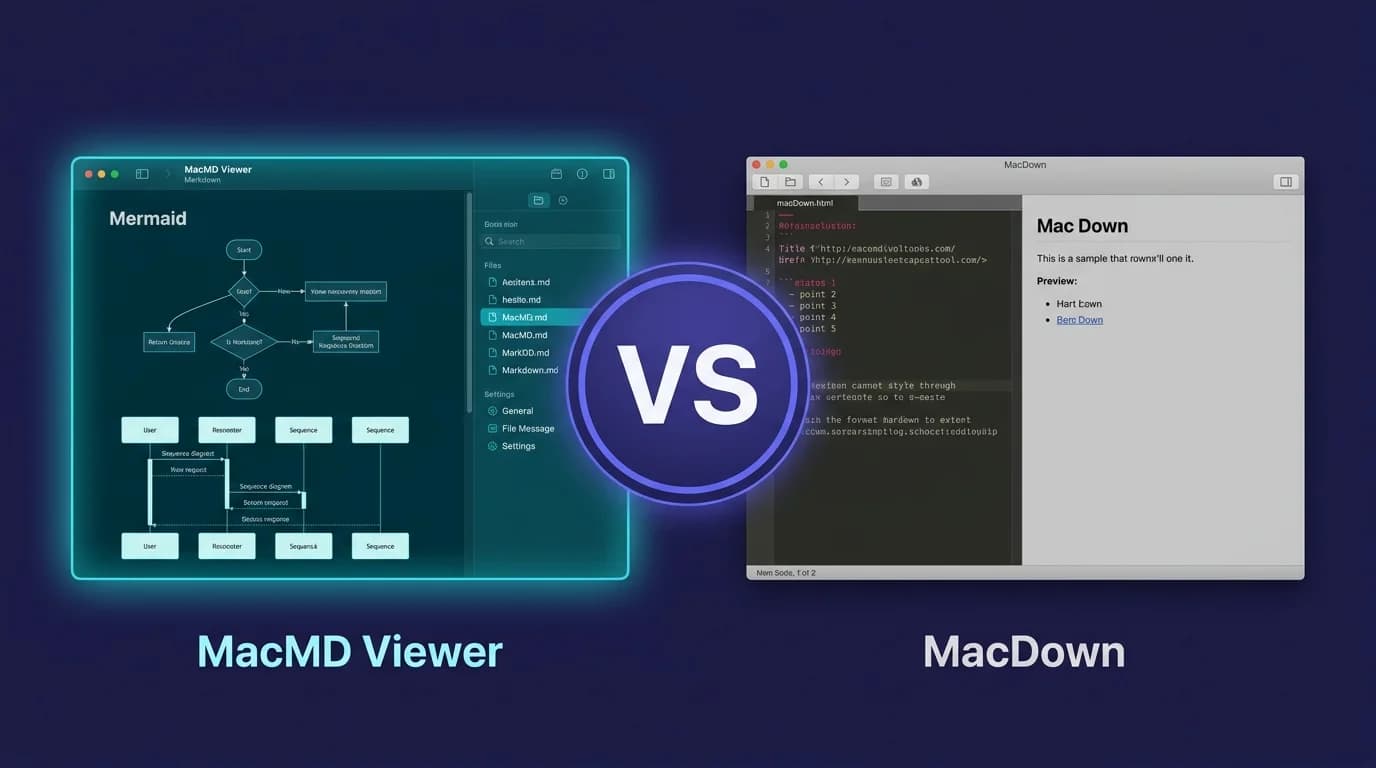
MacDown has no Apple Silicon build and its Homebrew cask is disabled on 1 September 2026. If you need the editor, the free MacDown 3000 fork is universal and actively maintained. If you want a read-only viewer on macOS 14+, that is what MacMD Viewer is.
How Does MacMD Viewer Compare to MacDown?
| Feature | MacMD Viewer | MacDown |
|---|---|---|
| Apple Silicon native | Yes (arm64) | No — Intel only, Rosetta 2 |
| Last stable release | v1.5.1 (Jul 2026) | v0.7.3 (Jan 2020) |
| Homebrew cask | Active | Disabled 1 Sep 2026 |
| Rosetta exposure | None — native build | Full support ends after macOS 27 |
| Native macOS | Yes (SwiftUI) | Yes (Objective-C) |
| Mermaid diagrams | Yes — Mermaid 11.13.0 | Yes — Mermaid 8.4.3 (2019) |
| QuickLook | Yes | No |
| Math (TeX) | No | Yes |
| Live reload | Yes | No |
| Editing | No | Yes |
| Price | $19.99 | Free |
$19.99 one-time · 14-day money-back · No subscription
What Does Each Tool Cost Over Time?
| Period | MacMD Viewer | MacDown |
|---|---|---|
| Purchase price | $19.99 | Free |
| After 1 year | $19.99 | Free |
| After 3 years | $19.99 | Free |
MacMD Viewer is a one-time purchase and MacDown is free. Neither has a subscription or recurring cost.
What Are the Pros and Cons?
MacMD Viewer
Pros
- +Built with SwiftUI for modern macOS
- +Apple Silicon native — no Rosetta needed
- +QuickLook extension for Finder preview
- +Mermaid diagram rendering
- +Live file watching with external editors
- +Actively maintained and updated
- +Syntax highlighting that follows the document theme
Cons
- -No editing capability
- -Costs $19.99 (MacDown is free)
- -No Windows or Linux support
MacDown
Pros
- +Completely free and open source
- +Includes a Markdown editor
- +Split-pane editor and preview
- +Familiar to long-time Mac users
Cons
- -No arm64 build — runs under Rosetta 2 on Apple Silicon
- -Last stable release v0.7.3, January 2020
- -Homebrew cask disabled on 1 September 2026 (fails_gatekeeper_check)
- -Apple Silicon pull request
- -Bundled Mermaid is 8.4.3 (2019) — no ER, mindmap, timeline or xychart diagrams
- -No QuickLook extension
- -No live reload from external editors
When Should You Choose MacDown vs MacMD Viewer?
Choose MacDown if:
- →You need to write and edit Markdown files, not just read them
- →You work across Mac, Windows, and Linux
- →You prefer a WYSIWYG or split-pane editing experience
Choose MacMD Viewer if:
- →You primarily read and review Markdown files, not write them
- →You want QuickLook preview: press Space in Finder to see any .md file rendered
- →You need Mermaid diagram rendering without plugins or configuration
- →You want a native macOS app that launches instantly and uses minimal resources
$19.99 one-time · 14-day money-back · No subscription
Ready to switch? See MacMD Viewer pricing — 14-day money-back, no subscription.
Does MacDown run natively on Apple Silicon?
No. MacDown has never shipped an arm64 build, so on Apple Silicon it runs through Rosetta 2. Its last stable release was v0.7.3 in January 2020, its Homebrew cask is scheduled for disabling on 1 September 2026, and macOS 27 is the last version with full Rosetta support. Dates checked 29 July 2026.
The native build was written. It was just never merged. Pull request #1234, "feat: Initial Universal build support for Apple Silicon", was opened by an outside contributor on 29 January 2021 and is still open. The last commit on master is dated 30 April 2021 — a Dependabot merge. The repository is not archived: 9,802 stars, 571 open issues. Nobody announced an end. It simply stopped.
The Rosetta timetable, with dates
| When | What happens |
|---|---|
| macOS 26.4 | Launching a Rosetta app raises "Support Ending for Intel-based Apps — this version will not open in a future release of macOS" |
| macOS 27 | Last macOS release with full Rosetta 2 support |
| macOS 28 (2027) | Rosetta is kept only for a narrow set of older, unmaintained game titles and Intel binaries in Linux VMs |
Sources: Apple — using Intel-based apps on a Mac with Apple silicon; AppleInsider, June 2025; MacRumors on the macOS 26.4 Rosetta warnings, 16 February 2026.
This is what the usual "slower startup, higher energy use" framing misses. Rosetta is not a performance tax you can decide to tolerate — it has an end date, and MacDown has no work in progress to be on the other side of it.
What changes on 1 September 2026
Homebrew's cask file for MacDown carries this line:
disable! date: "2026-09-01", because: :fails_gatekeeper_checkFrom that date, brew install --cask macdown stops working. The cask is already marked deprecated and is pinned to version 0.7.2 — Homebrew's livecheck skips 0.7.3. It also declares conflicts_with cask: "macdown-3000", which is Homebrew pointing at the fork covered below.
Two things this does not mean. It does not remove MacDown from a Mac that already has it: an existing install keeps launching, and nothing on your disk changes on 1 September. And it is not macOS refusing to run the app — fails_gatekeeper_check is Homebrew's own verification of the downloaded artifact failing, which is why Homebrew is retiring the recipe. Read it as the packaging path closing, not as a system-level block.
For scale: the macdown cask recorded 18,813 installs over the last 365 days and 1,544 over the last 30 (formulae.brew.sh, checked 29 July 2026). This is not a dead app nobody installs. It is a widely installed app whose default install path is about to close.
MacDown 3000 — the fork that did ship an Apple Silicon build
If what you want is MacDown itself, on an M-series Mac, the honest answer is not MacMD Viewer. It is MacDown 3000 (schuyler/macdown3000) — an active fork that did what the upstream pull request never got merged to do.
- Universal binary, arm64 and Intel, no Rosetta
- macOS 11 Big Sur or later
- Free, MIT licensed
- 391 stars, last push 27 July 2026, release 3000.0.7 on 13 July 2026
brew install --cask macdown-3000— 4,856 installs over 365 days, not deprecated
It keeps the split-pane editor and the Prism syntax highlighting that MacDown users already know. If your workflow is "write on the left, preview on the right, pay nothing", that is your migration path. Landing on the tool that fits matters more than landing on the one this site sells.
It also closes most of the gap this page used to claim. Its changelog records a Quick Look preview extension for Markdown files (#299), Mermaid upgraded to v11.12.1 (#262), and auto-reload when an external editor saves the file (#354, #478). So against MacDown 3000 the honest remaining differences are narrow: MacMD Viewer is a read-only viewer rather than an editor, it is a SwiftUI app targeting macOS 14+, and it ships 12 document themes. If Mermaid, Quick Look and live reload are what you came for, the free fork has them and you do not need to buy anything.
MacMD Viewer: built for reading, not for replacing your editor
MacMD Viewer is a native SwiftUI app for Apple Silicon and macOS 14+, with Mermaid diagrams, a QuickLook extension, and live reload. It is a viewer: it renders Markdown, it does not edit it. That is the whole design, and it is why it is a poor swap for MacDown's editor and a good one for MacDown's preview pane.
It is a lightweight native app with no bundled Chromium. It follows current macOS appearance settings, ships 12 document themes, and integrates with Finder through a QuickLook extension.
Feature-by-Feature Breakdown
Mermaid Diagrams
MacDown does render Mermaid — this page said otherwise until 29 July 2026 and that was wrong. Tick Preferences → Rendering → Mermaid and fenced mermaid blocks are drawn in the preview pane. MacDown's own assets/demo.md demonstrates it.
The difference is the version. MacDown bundles Mermaid 8.4.3, published on 1 December 2019 and frozen since; MacMD Viewer bundles 11.13.0. Diagram types added to Mermaid after 2019 therefore fail in MacDown and render in MacMD Viewer:
| Diagram type | MacDown (8.4.3) | MacMD Viewer (11.13.0) |
|---|---|---|
| flowchart, sequence, class, state, gantt, pie | Yes | Yes |
| ER diagram, user journey | No | Yes |
| mindmap, timeline | No | Yes |
| quadrant, sankey, xychart, block, architecture | No | Yes |
Checked 29 July 2026 by reading the bundled mermaid.min.js in each app.
So the honest claim is not "MacDown cannot draw diagrams". It is that MacDown's Mermaid stopped in 2019 with the rest of the app, and anything written against current Mermaid syntax will not render there.
QuickLook Extension
MacMD Viewer includes a QuickLook extension that lets you preview .md files directly in Finder by pressing Space. This works in Spotlight results, Open/Save dialogs, and anywhere macOS shows file previews.
MacDown does not provide a QuickLook extension. To preview a Markdown file, you must open it in the app.
Live File Watching
MacMD Viewer watches files for changes. Edit a Markdown file in VS Code, Vim, or any other Markdown editor, and the rendered preview updates automatically. This gives you a clean two-window workflow without switching between apps.
MacDown has its own built-in editor with a split pane view, but it does not watch for external file changes. If you edit a file in another app while MacDown has it open, you need to manually reload.
Syntax Highlighting
Both apps highlight fenced code blocks. MacDown uses Prism, a mature and broadly capable highlighter — this is not a category where MacMD Viewer wins on coverage, and this page does not pretend otherwise.
The one real difference is integration: in MacMD Viewer, code block colours are part of the document theme, so switching theme or switching macOS between light and dark repaints the code with the rest of the page rather than leaving a block styled for the other mode.
What MacDown still does better
A comparison page that concedes nothing is not worth reading. Four things MacDown does that MacMD Viewer does not:
- TeX math. MacDown renders TeX-like math syntax —
$$...$$,\[...\],\(...\), and optionally$...$(official features page). MacMD Viewer has no math rendering at all. If your documents contain equations, MacMD Viewer is the wrong tool and no amount of Mermaid support changes that. - Editing. MacDown is an editor with a live split pane. MacMD Viewer is read-only by design.
- Free. MacDown costs nothing. MacMD Viewer is $19.99.
- Open source. You can read MacDown's source, fork it, and ship your own build — which is exactly what MacDown 3000 did.
The Free vs Paid Question
MacDown is free. MacMD Viewer costs $19.99. This is a real consideration, and it deserves a direct answer.
If you need a basic Markdown editor that works well enough, MacDown is still functional today. It opens, it renders, and it costs nothing. And if free is the constraint, MacDown 3000 gives you the same editor with an arm64 build, still at zero cost.
What $19.99 buys is a different job, not a better version of the same one:
- Mermaid 11.13.0 rather than MacDown's frozen 8.4.3 — ER diagrams, mindmaps, timelines and the rest render
- A Finder QuickLook extension — Space bar on any
.mdfile, rendered - Live reload from whichever editor you already use
- A native arm64 build with no Rosetta end date attached to it
- Releases that keep tracking macOS: v1.5.1 shipped in July 2026
That is the trade against MacDown itself. Against MacDown 3000 it is narrower, and that section says so.
Ready to switch? See MacMD Viewer pricing — 14-day money-back, no subscription.
The Editor vs Viewer Distinction
MacDown is a Markdown editor with a preview pane. MacMD Viewer is a dedicated Markdown reader. These are fundamentally different tools.
If you write Markdown, you likely already have a code editor — VS Code, Sublime Text, Vim, or something else. You do not need another editor. What you need is a great reader that renders your files beautifully and integrates with your macOS workflow.
MacMD Viewer pairs with whatever editor you already use. Edit in VS Code, preview in MacMD Viewer with live reload. Press Space on any .md file in Finder to see it rendered through QuickLook. Double-click to open the full app. For a broader look at modern options, see the best Markdown viewers for Mac roundup.
Migration from MacDown
Switching from MacDown to MacMD Viewer is straightforward:
- Install MacMD Viewer from the purchase page
- Set it as your default .md handler — macOS will ask on first launch, or you can set it in Finder's Get Info panel
- Keep your editor — if you used MacDown's built-in editor, switch to VS Code, Sublime, MacDown 3000, or any editor you prefer
- Use QuickLook — press Space on
.mdfiles in Finder instead of opening them
Your Markdown files do not change. MacMD Viewer reads standard Markdown and renders it. There is no proprietary format or lock-in.
If you installed MacDown through Homebrew, do the swap before 1 September 2026 — after that the macdown cask no longer installs, and reproducing your setup on a new Mac gets manual.
Who Should Stick with MacDown?
If MacDown is working for you today and you do not need QuickLook, live reload, or Mermaid syntax newer than 2019, it is still functional for basic viewing and editing. It launches, it renders, and nothing about the dates on this page breaks an installed copy overnight.
Three of those dates do bound how long that stays true: the Homebrew cask is disabled on 1 September 2026, macOS 27 is the last release with full Rosetta 2 support, and the last stable release was January 2020, so nothing will be fixed on the MacDown side in between.
If any of the following applies, switching now avoids a forced migration later:
- Rendering bugs or crashes on a recent macOS version
- Mermaid diagrams that fail because MacDown's copy stopped at 8.4.3
- Want to preview
.mdfiles in Finder with QuickLook - Reinstalling on a new Mac after the cask is disabled
- Need live reload with an external editor
The Bottom Line
MacDown is out of runway on Apple Silicon: no arm64 build, an Apple Silicon pull request open since January 2021, a Homebrew cask disabled on 1 September 2026, and a translation layer that loses full support after macOS 27.
There are two honest exits, and which one is yours depends on what you actually do with .md files. If you want an editor, or want to pay nothing, take MacDown 3000: free, MIT, universal binary, still shipping, and it carries Quick Look and current Mermaid too. If you want a read-only viewer that sits next to the editor you already use, on macOS 14+, that is what MacMD Viewer is for, at $19.99 one-time. Looking for a broader roundup? See the complete guide to MacDown alternatives covering five modern replacements.
Both apps render CommonMark-compliant Markdown with GitHub Flavored Markdown extensions including tables and task lists.
Frequently Asked Questions
Is MacMD Viewer better than MacDown?
MacDown has no Apple Silicon build and its Homebrew cask is disabled on 1 September 2026. If you need the editor, the free MacDown 3000 fork is universal and actively maintained. If you want a read-only viewer on macOS 14+, that is what MacMD Viewer is.
How much does MacDown cost?
MacDown costs Free. MacMD Viewer costs $19.99 one-time with no subscription.
Does MacDown support Mermaid diagrams?
Yes, via Preferences → Rendering → Mermaid. The catch is the version: MacDown bundles Mermaid 8.4.3 from 2019, so flowchart, sequence, class, state, gantt and pie diagrams render, while ER diagrams, mindmaps, timelines and xychart do not. MacMD Viewer bundles Mermaid 11.13.0. Checked 29 July 2026.
Can I use MacDown and MacMD Viewer together?
Yes. Many developers write in MacDown and use MacMD Viewer for reading and QuickLook preview. MacMD Viewer watches files live, so edits made in any other app appear instantly.
Does MacDown support Apple Silicon natively?
No. MacDown has never shipped an arm64 build, so it runs through Rosetta 2 on Apple Silicon. The Apple Silicon pull request (#1234) has been open since January 2021, the last stable release was v0.7.3 in January 2020, and Homebrew disables its cask on 1 September 2026. macOS 27 is the last release with full Rosetta 2 support. The MacDown 3000 fork does ship a free universal build; MacMD Viewer is built with SwiftUI and runs natively on Apple Silicon. Checked 29 July 2026.
Which is better for developers, MacDown or MacMD Viewer?
It depends on your workflow. MacDown is designed for editing with split-pane preview. MacMD Viewer is designed for reading. Open any .md file with rendered Mermaid diagrams, syntax highlighting, and a QuickLook extension. Most developers use both: an editor for writing and MacMD Viewer for reading.
Compare MacMD Viewer with other Mac Markdown apps
Ready to try MacMD Viewer?
$19.99 one-time. No subscription. No account needed.