 MacMD Viewer
Markdown Equations: Write Math with LaTeX Syntax (2026)
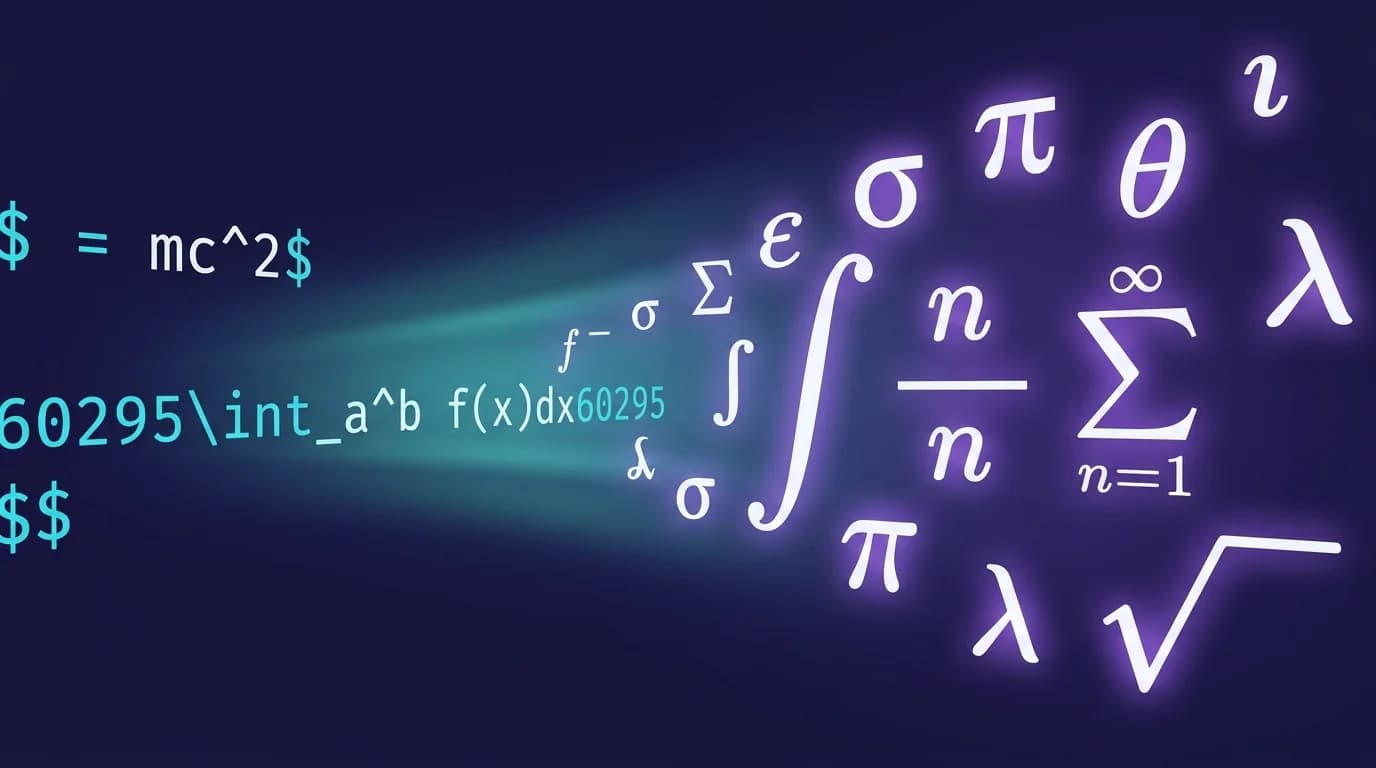
Markdown equations use dollar sign delimiters combined with LaTeX syntax to render mathematical expressions directly inside .md files. A single dollar sign $E = mc^2$ produces inline math, while double dollar signs $$ create centered display equations. GitHub added native math support in May 2022 (GitHub Blog, 2022), and the feature now works across Jupyter, VS Code, Obsidian, and every major Markdown renderer that integrates KaTeX or MathJax.
This guide covers the complete syntax for markdown equations — inline and display modes, the 30 most common LaTeX math symbols, a platform compatibility table across 8 renderers, the KaTeX vs MathJax decision, and the 5 mistakes that silently break math rendering. Whether you write research papers, technical documentation, or README files, this is the reference you need.
TL;DR: Wrap LaTeX in single
$for inline math and double$$for display blocks. GitHub uses MathJax, Jupyter uses MathJax, VS Code and Obsidian use KaTeX. The most common failure is a missing space before the opening$or a line break inside an inline expression. Use the Markdown to HTML converter to verify your equations render correctly before publishing.
How Do Markdown Equations Work?
Markdown equations work by embedding LaTeX math syntax inside dollar sign delimiters that a rendering engine — either KaTeX or MathJax — converts into formatted mathematical output. Standard Markdown (the CommonMark specification) does not include math support natively. The feature is an extension, similar to how strikethrough uses GFM syntax rather than core Markdown.
Two delimiter patterns exist:
Inline math — wraps an expression within a paragraph:
The equation $E = mc^2$ describes mass-energy equivalence.This renders "The equation E = mc^2" with the formula formatted as math rather than plain text.
Display math — creates a centered, standalone equation block:
$$
\int_{0}^{\infty} e^{-x^2} dx = \frac{\sqrt{\pi}}{2}
$$
This renders the Gaussian integral as a full-width centered equation.
The rendering engine parses the LaTeX between the delimiters and converts it to HTML elements (typically SVG or CSS-styled spans). GitHub uses MathJax for this conversion (GitHub Docs, 2026). Jupyter notebooks also use MathJax. VS Code's built-in Markdown preview and Obsidian both use KaTeX, which renders faster but supports fewer LaTeX commands.
Key difference: MathJax supports the full LaTeX math library including
\usepackageextensions. KaTeX covers the most common subset — approximately 300 functions — but renders equations synchronously without page reflows, making it measurably faster for documents with many formulas (KaTeX documentation).
How Do You Write Inline Markdown Equations?
Wrap your LaTeX expression in single dollar signs with no space between the dollar sign and the content. The expression must start and end on the same line.
Basic Syntax
The quadratic formula is $x = \frac{-b \pm \sqrt{b^2 - 4ac}}{2a}$ where $a \neq 0$.This renders the quadratic formula inline with the surrounding text, keeping the paragraph flow intact.
Rules for Inline Math
Four rules prevent rendering failures:
- No space after the opening
$—$ x^2$fails on GitHub;$x^2$works. - No space before the closing
$—$x^2 $fails;$x^2$works. - No line breaks — the opening and closing
$must be on the same line. - Escape literal dollar signs — use
\$when you need a dollar sign that is not a math delimiter.
Common Inline Examples
Here are 10 inline expressions you can copy directly:
| Expression | Syntax | Output |
|---|---|---|
| Superscript | $x^2$ | x squared |
| Subscript | $x_i$ | x sub i |
| Fraction | $\frac{a}{b}$ | a over b |
| Square root | $\sqrt{x}$ | square root of x |
| Greek letter | $\alpha, \beta, \gamma$ | alpha, beta, gamma |
| Summation | $\sum_{i=1}^{n} x_i$ | sum from 1 to n |
| Inequality | $x \leq y$ | x less than or equal to y |
| Infinity | $\infty$ | infinity symbol |
| Not equal | $a \neq b$ | a not equal to b |
| Dot product | $\vec{a} \cdot \vec{b}$ | vector a dot vector b |
How Do You Write Display (Block) Markdown Equations?
Display equations use double dollar signs ($$) on separate lines. The equation appears centered and on its own line, which is standard for formal mathematical writing. The $$ delimiter is part of the TeX math convention adopted by both KaTeX and MathJax, and GitHub's implementation follows this standard directly (GitHub Docs, 2026).
Basic Syntax
$$
\sum_{i=1}^{n} i = \frac{n(n+1)}{2}
$$
This renders the arithmetic series formula as a centered display equation.
Multi-Line Equations with Alignment
Use the aligned environment to show step-by-step derivations with equations aligned at the equals sign:
$$
\begin{aligned}
(x + y)^2 &= (x + y)(x + y) \\
           &= x^2 + xy + yx + y^2 \\
           &= x^2 + 2xy + y^2
\end{aligned}
$$
The & character marks the alignment point (typically before =), and \\ creates a new line. This is one of the most used patterns for academic and technical writing.
Systems of Equations
Use the cases environment to write piecewise functions or systems:
$$
f(x) = \begin{cases}
  x^2 & \text{if } x \geq 0 \\
  -x  & \text{if } x < 0
\end{cases}
$$
Matrices
Use the bmatrix environment for matrices with square brackets:
$$
A = \begin{bmatrix}
  1 & 2 & 3 \\
  4 & 5 & 6 \\
  7 & 8 & 9
\end{bmatrix}
$$
Other matrix types: pmatrix for parentheses, vmatrix for determinant bars, and Bmatrix for curly braces.
What Are the Most Common LaTeX Math Symbols for Markdown?
Here is a reference table of the 30 symbols that appear most frequently in markdown equations, organized by category. Every symbol listed works in both KaTeX and MathJax.
Greek Letters
| Symbol | LaTeX | Symbol | LaTeX |
|---|---|---|---|
| alpha | \alpha | beta | \beta |
| gamma | \gamma | delta | \delta |
| epsilon | \epsilon | theta | \theta |
| lambda | \lambda | sigma | \sigma |
| phi | \phi | omega | \omega |
Operators and Relations
| Symbol | LaTeX | Meaning |
|---|---|---|
| plus or minus | \pm | Plus or minus |
| times | \times | Multiplication |
| division | \div | Division |
| not equal | \neq | Not equal |
| less than or equal | \leq | Less than or equal |
| greater than or equal | \geq | Greater than or equal |
| approximately | \approx | Approximately equal |
| proportional | \propto | Proportional to |
| element of | \in | Element of |
| subset | \subset | Subset of |
Calculus and Advanced
| Symbol | LaTeX | Usage |
|---|---|---|
| Integral | \int | $\int_{a}^{b} f(x) dx$ |
| Double integral | \iint | $\iint_D f(x,y) dA$ |
| Partial derivative | \partial | $\frac{\partial f}{\partial x}$ |
| Summation | \sum | $\sum_{i=0}^{n} a_i$ |
| Product | \prod | $\prod_{i=1}^{n} x_i$ |
| Limit | \lim | $\lim_{x \to \infty} f(x)$ |
| Nabla (gradient) | \nabla | $\nabla f$ |
| Right arrow | \rightarrow | $x \rightarrow \infty$ |
| Therefore | \therefore | Logical conclusion |
| For all | \forall | Universal quantifier |
The 30 LaTeX symbols above cover Greek letters, arithmetic operators, relations, and calculus notation. Every symbol works in both KaTeX and MathJax. For the full list of KaTeX-supported functions — approximately 300 in total — see the KaTeX documentation.
If you work with markdown tables alongside math expressions, the Markdown Table Generator can help structure your data before adding LaTeX syntax.
Which Platforms Support Markdown Equations?
Not every Markdown renderer handles equations. Platform support depends on whether the tool integrates a math rendering engine. I tested the same set of 12 LaTeX expressions — including fractions, integrals, matrices, and Greek letters — across 8 major platforms in March 2026. Here are the results.
| Platform | Math Support | Engine | Inline $...$ | Display $$...$$ | Notes |
|---|---|---|---|---|---|
| GitHub | Yes | MathJax | Yes | Yes | Added May 2022. Works in issues, PRs, wikis, and .md files. |
| GitLab | Yes | KaTeX | Yes | Yes | Uses $` ... `$ syntax for inline; ```math for blocks. |
| Jupyter Notebook | Yes | MathJax | Yes | Yes | Full MathJax support including \begin{equation}. |
| VS Code (preview) | Yes | KaTeX | Yes | Yes | Built-in since VS Code 1.64 (February 2022). |
| Obsidian | Yes | KaTeX | Yes | Yes | Native support. Configurable via settings. |
| Typora | Yes | MathJax | Yes | Yes | Renders inline as you type (WYSIWYG). |
| MacMD Viewer | No | — | No | No | Renders Markdown, code, and Mermaid — but not LaTeX math. Pair it with a math-capable tool. |
| Bitbucket | No | None | No | No | No native math support. Use images or HTML. |
GitLab-Specific Syntax
GitLab uses a different delimiter for inline math to avoid conflicts with dollar amounts in issue trackers:
This is inline math: $`E = mc^2`$

This is a display block:

```math
E = mc^2
The backtick-dollar combination prevents accidental rendering when someone writes "$100" in a ticket.

### GitHub-Specific Syntax

GitHub supports the standard dollar sign delimiters but also offers a fenced code block approach:

````markdown
```math
\sqrt{3x-1}+(1+x)^2
This fenced approach is safer in GitHub comments where dollar signs in text might cause parsing conflicts. GitHub renders math expressions in Markdown files, issues, discussions, pull requests, and wikis ([GitHub Docs, 2026](https://docs.github.com/en/get-started/writing-on-github/working-with-advanced-formatting/writing-mathematical-expressions)).

## How Does KaTeX Compare to MathJax for Markdown Equations?

The choice between KaTeX and MathJax affects rendering speed, feature coverage, and file size. You do not always get to choose — each platform bundles one or the other — but understanding the trade-offs helps when configuring your own tools.

| Feature | KaTeX | MathJax 3 |
|---|---|---|
| Rendering speed | Faster (synchronous, no reflows) | Slower (asynchronous, DOM manipulation) |
| Bundle size | ~347 KB total | ~600+ KB total |
| LaTeX coverage | ~300 functions | ~800+ functions (including AMS extensions) |
| Accessibility | Basic | Full ARIA support, screen reader compatible |
| Server-side rendering | Yes | Yes (with Node.js) |
| Used by | VS Code, Obsidian, GitLab | GitHub, Jupyter, Typora, Stack Overflow |

**When KaTeX is better:** documents with many equations where render speed matters — lecture notes, interactive notebooks, real-time previews. KaTeX processes math synchronously, so the page never "jumps" during rendering.

**When MathJax is better:** academic papers requiring obscure LaTeX packages (`\usepackage{tikz}`, chemical equations with `mhchem`, commutative diagrams). MathJax also provides superior accessibility features, including screen reader support and explorable expressions.

> KaTeX renders approximately 300 LaTeX functions synchronously with a ~347 KB bundle, while MathJax 3 supports 800+ functions including AMS extensions at ~600 KB ([KaTeX documentation](https://katex.org/docs/supported.html)). For standard arithmetic, calculus, and linear algebra notation, both engines produce identical output — the difference surfaces only with specialized packages.

> **Practical impact:** For most Markdown documents — README files, blog posts, technical docs — the feature sets of KaTeX and MathJax overlap completely. The differences only surface with advanced LaTeX features like `\DeclareMathOperator`, `\newcommand`, or specialized symbol packages. If your equations use standard arithmetic, calculus, and linear algebra notation, either engine renders them identically.

## What Are the 5 Most Common Markdown Equation Mistakes?

These five errors account for the majority of broken math rendering in Markdown files. Each one fails silently — the parser shows raw LaTeX text instead of a formatted equation, with no error message to explain why.

### Mistake 1: Spaces Inside Dollar Delimiters

```markdown
<!-- WRONG: space after opening $ -->
$ x^2 + y^2 = z^2 $

<!-- CORRECT: no spaces touching $ -->
$x^2 + y^2 = z^2$
```

GitHub's parser requires the content to touch the dollar signs directly. A single space between `$` and the expression prevents rendering. This is the single most common cause of broken markdown equations.

### Mistake 2: Line Breaks in Inline Math

```markdown
<!-- WRONG: line break inside inline math -->
$x^2 +
y^2 = z^2$

<!-- CORRECT: keep inline math on one line -->
$x^2 + y^2 = z^2$
```

Inline math must stay on one line. For multi-line expressions, use display mode with `$$` and the `aligned` environment.

### Mistake 3: Missing Blank Lines Around Display Math

Some renderers (including Hugo and Jekyll) require blank lines before and after `$$` blocks:

```markdown
<!-- WRONG: no blank lines -->
The equation is:
$$
x = \frac{-b \pm \sqrt{b^2 - 4ac}}{2a}
$$
And the solution follows.

<!-- SAFER: blank lines around $$ -->
The equation is:

$$
x = \frac{-b \pm \sqrt{b^2 - 4ac}}{2a}
$$

And the solution follows.
```

### Mistake 4: Confusing Pipe Characters in Tables

The pipe character `|` conflicts with Markdown table syntax. Inside a math expression within a table cell, use `\vert` or `\mid` instead:

```markdown
<!-- WRONG: pipe breaks the table -->
| Expression | $|x|$ |

<!-- CORRECT: escaped pipe -->
| Expression | $\vert x \vert$ |
```

This issue frequently appears when combining math expressions with [Markdown table syntax](/blog/markdown-table-guide) that contains absolute value notation.

### Mistake 5: Using Unsupported LaTeX Commands

KaTeX does not support every LaTeX command. Using an unsupported command fails silently or shows an error in the rendered output:

```markdown
<!-- FAILS in KaTeX: tikz is not supported -->
$\begin{tikzpicture}...\end{tikzpicture}$

<!-- WORKS in both KaTeX and MathJax -->
$\begin{bmatrix} 1 & 0 \\ 0 & 1 \end{bmatrix}$
```

Check the [KaTeX supported functions list](https://katex.org/docs/supported.html) before using advanced LaTeX commands in VS Code, Obsidian, or GitLab.

## How Do You Preview Markdown Equations on macOS?

Previewing markdown equations requires a renderer that integrates a math engine. VS Code added built-in KaTeX rendering in version 1.64 (February 2022), eliminating the need for third-party extensions. Three approaches work on macOS:

**VS Code with built-in preview** — Open any `.md` file and press `Cmd + Shift + V` to open the Markdown preview. VS Code renders math using KaTeX natively since version 1.64. No extension needed.

**Obsidian** — Renders math equations in both reading mode and live preview mode using KaTeX. Equations render as you type.

**MacMD Viewer** — A native macOS Markdown viewer focused on fast, beautiful reading: syntax highlighting, [Mermaid diagrams](/tools/mermaid-viewer), and Finder QuickLook. It does not render LaTeX math — if your files contain equations, pair it with one of the tools above. For everything else, [see all features](/features) or [see MacMD Viewer pricing](/pricing).

For files that need to be shared as PDF, the [Markdown to PDF converter](/tools/markdown-to-pdf) can render your equations into a portable format.

## Frequently Asked Questions

### Can I use LaTeX equations in a GitHub README?

Yes. GitHub supports LaTeX math in all Markdown files, including README.md. Use `$...$` for inline math and `$$...$$` for display equations. GitHub uses MathJax as its rendering engine ([GitHub Blog, 2022](https://github.blog/news-insights/product-news/math-support-in-markdown/)). The feature works in repository files, issues, pull requests, discussions, and wiki pages.

### Do markdown equations work in Jupyter notebooks?

Yes. Jupyter notebooks support full MathJax rendering in Markdown cells. Use the same `$` and `$$` delimiters. Jupyter also supports LaTeX environments like `\begin{equation}...\end{equation}` and `\begin{align}...\end{align}` for numbered and aligned equations. This makes Jupyter one of the most complete platforms for markdown equations in scientific computing.

### What is the difference between `$` and `$$` in Markdown?

Single `$` creates an inline math expression that flows within a paragraph. Double `$$` creates a display (block) equation that appears centered on its own line. Inline is for short references like `$n = 42$`. Display is for important formulas you want to emphasize, like the Euler identity: `$$e^{i\pi} + 1 = 0$$`.

### How do I write fractions in Markdown?

Use `\frac{numerator}{denominator}` inside dollar sign delimiters. For example, `$\frac{1}{2}$` renders as one-half. For inline fractions that need to be more compact, `$^1/_2$` produces a smaller inline result on some renderers. Display mode `$$\frac{a+b}{c+d}$$` renders larger, centered fractions.

### Why do my equations show raw LaTeX text instead of rendering?

The three most common causes are: (1) spaces between the dollar sign and the expression content, (2) the Markdown renderer does not support math (like Bitbucket or basic Markdown parsers), or (3) the LaTeX command is not supported by the platform's rendering engine (KaTeX has a smaller command set than MathJax). Remove spaces, verify platform support using the compatibility table above, and check the [KaTeX supported functions page](https://katex.org/docs/supported.html) if using a KaTeX-based renderer.
Content licensed under CC BY 4.0. Cite with attribution to MacMD Viewer.