 MacMD Viewer
How to Render Markdown: 6 Proven Methods (2026)
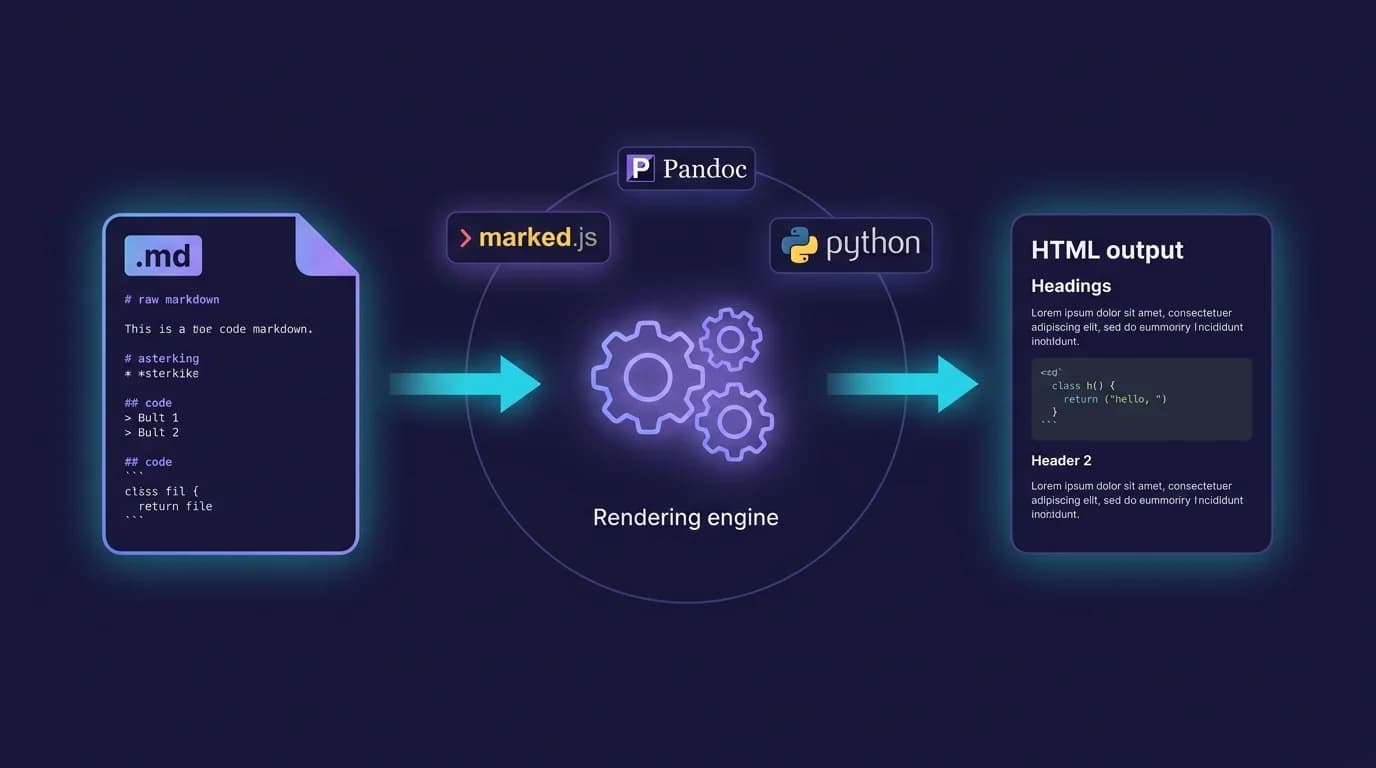
How do you render markdown into formatted HTML that browsers can display? You pass your .md source through a parser — a library or tool that reads plain-text syntax like #, **, and -, then outputs structured HTML elements. The marked library alone handles this conversion over 34 million times per week on npm (npm trends, 2026), and the CommonMark specification (version 0.31.2, released January 2024) defines the exact parsing rules across 600+ test cases to ensure every compliant renderer produces identical output (CommonMark, 2024).
This guide walks through six practical methods to render markdown — from JavaScript libraries and command-line converters to native macOS tools — so you can pick the approach that fits your stack and start rendering in minutes.
TL;DR: To render markdown, pass your
.mdfile through a parser like marked (JavaScript), Python-Markdown (Python), or Pandoc (CLI). Each converts plain-text syntax into structured HTML. Choose based on speed, plugin needs, or output format.
34 million weekly downloads for marked.js alone demonstrate the scale of markdown rendering in modern development (npm trends, 2026). The CommonMark 0.31.2 specification includes 600+ conformance tests ensuring consistent rendering across parsers (CommonMark, 2024).
How Does Markdown Rendering Actually Work?
Every markdown renderer follows the same two-stage pipeline. First, a parser reads your plain-text source and builds an abstract syntax tree (AST) — a structured representation where each node is a heading, paragraph, code block, or list item. Second, a renderer walks that tree and emits the corresponding HTML tags.
Consider this input:
## Installation

Run `npm install marked` to get started.

- Fast parsing
- **CommonMark** compliant
The parser identifies an H2 heading, a paragraph containing inline code, and an unordered list with a bold span. The renderer then outputs:
<h2>Installation</h2>
<p>Run <code>npm install marked</code> to get started.</p>
<ul>
  <li>Fast parsing</li>
  <li><strong>CommonMark</strong> compliant</li>
</ul>
The CommonMark specification standardizes exactly how parsers should handle edge cases — nested blockquotes, lazy continuation lines, blank lines between list items — that caused rendering inconsistencies before 2014 (CommonMark, 2024). GitHub formalized its own superset, GitHub Flavored Markdown (GFM), which adds tables, task lists, strikethrough, and autolinks on top of CommonMark (GitHub GFM Spec, 2019).
Understanding this pipeline matters because it determines where you can customize output. Libraries like remark expose the AST between parsing and rendering, letting you insert plugins that transform headings into anchor links, sanitize HTML, or extract a table of contents — all before the final HTML is generated.
How Do You Render Markdown with JavaScript?
JavaScript offers three major libraries to render markdown, each with a different design philosophy. Your choice depends on whether you need raw speed, plugin extensibility, or AST-level control.
marked — Fastest Drop-In Renderer
marked is the most downloaded markdown parser on npm, with over 34 million weekly installs (npm trends, 2026). It compiles markdown to HTML in a single pass with no dependencies.
import { marked } from 'marked';

const markdown = '## Hello World\n\nThis is **bold** text.';
const html = marked(markdown);
// <h2>Hello World</h2>\n<p>This is <strong>bold</strong> text.</p>
marked supports GFM by default (tables, task lists, strikethrough) and lets you override any rendering rule through a custom renderer:
const renderer = new marked.Renderer();
renderer.heading = ({ text, depth }) => {
  const slug = text.toLowerCase().replace(/\s+/g, '-');
  return `<h${depth} id="${slug}">${text}</h${depth}>`;
};

marked.use({ renderer });
Use marked when you need to render markdown fast and your customization requirements are limited to output formatting. Its single-pass architecture makes it the best choice for real-time preview panels and server-side rendering where latency matters.
markdown-it — Plugin-Driven Flexibility
markdown-it handles over 21 million weekly downloads (npm trends, 2026) and follows the CommonMark specification with opt-in extensions. Its plugin architecture lets you add syntax features — footnotes, math expressions, custom containers — without modifying the core parser.
import MarkdownIt from 'markdown-it';
import markdownItFootnote from 'markdown-it-footnote';

const md = new MarkdownIt()
  .use(markdownItFootnote);

const html = md.render('Text with a footnote[^1]\n\n[^1]: Footnote content.');
The library ships with fine-grained options for HTML sanitization, typographic replacements (smart quotes, em-dashes), and link normalization. If you need to render markdown with math equations or custom block types, markdown-it's plugin ecosystem is the most mature option.
unified / remark — Full AST Pipeline
The unified ecosystem (remark for markdown, rehype for HTML) takes a fundamentally different approach. Instead of converting markdown directly to an HTML string, remark parses markdown into an mdast (Markdown Abstract Syntax Tree), applies transformation plugins, then hands the tree to rehype for HTML serialization.
import { unified } from 'unified';
import remarkParse from 'remark-parse';
import remarkGfm from 'remark-gfm';
import remarkRehype from 'remark-rehype';
import rehypeStringify from 'rehype-stringify';

const result = await unified()
  .use(remarkParse)
  .use(remarkGfm)
  .use(remarkRehype)
  .use(rehypeStringify)
  .process('## Hello **world**');

console.log(String(result));
This pipeline powers frameworks like Next.js (via MDX), Gatsby, and Astro. The remark-parse package alone sees over 27 million weekly downloads (npm trends, 2026). Choose unified when you need to render markdown with programmatic transformations — auto-linking headings, injecting table of contents, syntax highlighting code blocks, or converting markdown to formats other than HTML.
How Do You Render Markdown in Python?
Python developers have three battle-tested libraries for converting markdown to HTML, each with distinct strengths.
Python-Markdown is the most established option, supporting the original Markdown syntax plus a rich extension API:
import markdown

html = markdown.markdown(
    '## Hello World\n\nThis is **bold** text.',
    extensions=['tables', 'fenced_code', 'toc']
)
Mistune prioritizes performance with a pure-Python implementation that benchmarks faster than Python-Markdown for large documents:
import mistune

html = mistune.html('## Render markdown in Python\n\n- Fast\n- Customizable')
Marko is the newest entrant, built from the ground up for CommonMark compliance with first-class GFM support:
import marko

html = marko.convert('## CommonMark Compliant\n\nWith GFM tables and task lists.')
For Django or Flask web applications, Python-Markdown's extension system integrates naturally with template filters. For static site generators or batch processing, mistune's speed advantage becomes meaningful when you need to render markdown across hundreds of files.
Python-Markdown has been maintained since 2004, making it one of the longest-running markdown rendering libraries in any language. Its extension API supports over 30 official and third-party extensions including tables, fenced code, table of contents, and footnotes (Python-Markdown docs, 2026).
You can test your rendered output instantly using a markdown preview tool without setting up a local development server.
How Do You Render Markdown from the Command Line?
When you need to render markdown outside of application code — generating documentation, converting files for a publishing pipeline, or batch-processing a directory of .md files — command-line tools handle the conversion in a single command.
Pandoc — Universal Document Converter
Pandoc converts between over 40 document formats and has earned 35,000+ GitHub stars (GitHub, 2026). For markdown rendering, it reads CommonMark, GFM, or its own extended Pandoc Markdown and outputs HTML, PDF, DOCX, LaTeX, or EPUB.
# Basic markdown to HTML
pandoc input.md -o output.html

# GFM with syntax highlighting and standalone HTML page
pandoc input.md -f gfm -t html5 --standalone --highlight-style=tango -o output.html

# Batch convert all .md files in a directory
for f in docs/*.md; do pandoc "$f" -o "${f%.md}.html"; done
Pandoc's --standalone flag wraps the output in a full HTML document with <head>, CSS, and metadata. Without it, you get an HTML fragment suitable for embedding in an existing page.
marked CLI
The marked library also ships a command-line interface:
npx marked -i README.md -o README.htmlThis is useful when your project already uses Node.js and you want consistent rendering between your build pipeline and your CLI scripts.
For quick conversions without installing anything, the Markdown to HTML tool on this site renders markdown in the browser and lets you copy the output.
How Do You Render Markdown Securely?
Markdown parsers can become an attack vector when they process untrusted input. Because markdown allows inline HTML, a user can inject <script> tags, event handlers (onerror, onload), or javascript: protocol links that execute when the rendered HTML loads in a browser (Showdown Wiki, 2024).
Three rules keep your rendering pipeline safe:
1. Sanitize after rendering, not before. Run the markdown parser first to generate HTML, then pass that HTML through a sanitizer like DOMPurify (browser) or sanitize-html (Node.js). Sanitizing the raw markdown before parsing breaks syntax like link references and fenced code blocks.
import { marked } from 'marked';
import DOMPurify from 'dompurify';

const rawHtml = marked(userInput);
const safeHtml = DOMPurify.sanitize(rawHtml);
2. Use libraries with safe defaults. React-markdown escapes all inline HTML by default, displaying <script> tags as plain text instead of executing them (Strapi, 2025). If your framework supports it, prefer renderers that output React elements or DOM nodes rather than raw HTML strings.
3. Enforce Content Security Policy (CSP). Even with sanitization, a CSP header acts as a final safety net by blocking inline scripts and restricting resource origins. Combine script-src 'self' with your sanitizer for defense in depth.
Server-side validation is non-negotiable when accepting markdown from users. Client-side sanitization can be bypassed — always validate and sanitize on the server before storing or rendering user-submitted content (HackerOne / PullRequest, 2025).
How Do You Render Markdown on macOS Without Code?
Not every markdown rendering task requires writing code. If you work with .md files daily — READMEs, documentation, notes, changelogs — a native renderer saves you from switching between your editor and a browser tab running a preview tool.
MacMD Viewer renders markdown natively on macOS using a high-performance HTML pipeline. Drop a .md file onto the app or open it from Finder, and the rendered output appears instantly — headings, code blocks with syntax highlighting for common languages, tables, Mermaid diagrams, and a navigable table of contents in the sidebar.
The app also includes a Quick Look extension, so you can render markdown by pressing Space on any .md file in Finder without opening a separate application. File watching detects saves from your editor and re-renders automatically, giving you a live preview workflow without the overhead of a browser-based solution.
For developers who need to render markdown files as part of their daily workflow rather than inside an application, a dedicated viewer is faster than spinning up a local server or pasting content into an online tool. We benchmarked the leading native and Electron options in our Mac Markdown viewer comparison.
Which Method Should You Use to Render Markdown?
Choosing how to render markdown comes down to four factors: specification compliance, extension support, performance, and ecosystem integration.
| Feature | marked | markdown-it | unified/remark | Pandoc |
|---|---|---|---|---|
| CommonMark compliant | Yes | Yes | Yes | Yes |
| GFM support | Built-in | Plugin | Plugin | Built-in |
| Weekly npm downloads | 34M+ | 21M+ | 27M+ (remark-parse) | N/A (CLI) |
| Plugin ecosystem | Limited | Large | Largest | Filters/Lua |
| AST access | No | Limited | Full | Yes |
| Output formats | HTML | HTML | HTML, MDX, text | 40+ formats |
| Best for | Speed, simplicity | Plugins, customization | Frameworks, pipelines | Documents, publishing |
If you are building a real-time preview panel, marked's single-pass speed is hard to beat. If you need footnotes, math, or custom containers, markdown-it's plugin system handles those without bloating the core. If your project uses Next.js, Astro, or Gatsby, the unified/remark pipeline is already wired into your framework's build step. And if you are generating PDFs, DOCX files, or EPUBs from markdown, Pandoc is the only tool that handles all of those output formats.
MacMD Viewer uses a similar pipeline internally — a Swift-native markdown parser feeds into a WKWebView renderer with highlight.js for syntax coloring. Building that pipeline taught me that the renderer choice matters far less than the sanitization and extension decisions you make around it.
marked, markdown-it, and remark-parse are the most downloaded Markdown parsers on npm (npm trends). Picking one of these three covers virtually every JavaScript rendering scenario.
For a quick reference on the markdown syntax these renderers process, the cheat sheet covers every element from headings to Mermaid diagrams. If you are new to markdown altogether, the what is markdown guide explains the language from the ground up.
Frequently Asked Questions
What is the fastest way to render markdown to HTML?
The fastest method depends on your environment. In JavaScript, marked.js converts markdown to HTML in a single pass with zero dependencies, making it the fastest option for both browser and Node.js contexts. In Python, mistune benchmarks faster than Python-Markdown for large files. For one-off conversions, paste your content into a markdown preview tool and get rendered output in seconds.
Can markdown rendering cause security vulnerabilities?
Yes. Markdown allows inline HTML by default, which means a <script> tag or javascript: link in user-submitted markdown will execute in the browser unless you sanitize the rendered output. Always run the HTML through DOMPurify or sanitize-html after rendering, and enforce a Content Security Policy on your server (Showdown Wiki, 2024).
What is the difference between CommonMark and GitHub Flavored Markdown?
CommonMark (version 0.31.2, January 2024) is the base specification with 600+ conformance tests covering headings, lists, code blocks, links, and emphasis (CommonMark, 2024). GitHub Flavored Markdown (GFM) extends CommonMark with tables, task lists, strikethrough, and autolinks (GitHub GFM Spec, 2019). Most modern renderers support both — marked and Pandoc include GFM by default, while markdown-it and remark add it via plugins.
Do I need a server to render markdown?
No. Client-side JavaScript libraries like marked and markdown-it render markdown directly in the browser. This works well for personal tools, documentation sites, and preview panels. However, if you accept markdown from untrusted users, you must sanitize the rendered HTML on the server before displaying it — client-side sanitization alone can be bypassed.
How do I render markdown with syntax highlighting?
Most renderers output code blocks as <pre><code> elements with a language class (e.g., class="language-javascript"). You then apply a syntax highlighter like highlight.js or Prism.js to colorize the code after rendering. In the unified pipeline, the rehype-highlight plugin handles this automatically. Pandoc includes built-in syntax highlighting via the --highlight-style flag with themes like tango, pygments, and kate.
Content licensed under CC BY 4.0. Cite with attribution to MacMD Viewer.