 MacMD Viewer
React Markdown: Rendering Guide with Plugins (2026)
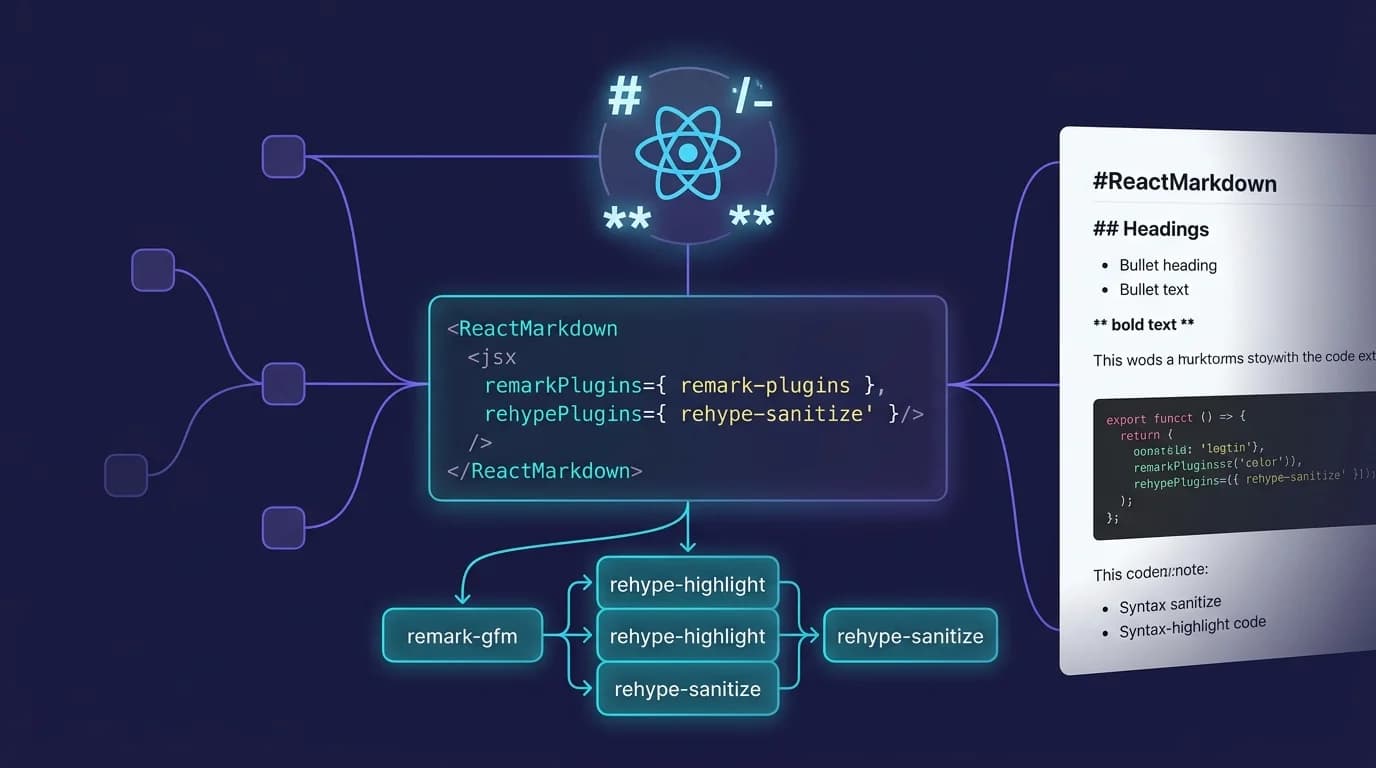
How do you render react markdown content inside a component without dangerouslySetInnerHTML? You install the react-markdown package — a dedicated React component that converts raw markdown strings into safe, virtual-DOM elements. The library pulls over 10 million weekly downloads on npm (npm trends, 2026) and sits at the center of the unified/remark ecosystem that powers documentation platforms like Docusaurus, Gatsby, and Astro.
This guide covers everything from basic installation to advanced plugin chains and custom component overrides, so you can ship react markdown rendering that is secure, extensible, and production-ready.
TL;DR: Install
react-markdown, pass your markdown string aschildren, and the component renders safe React elements — nodangerouslySetInnerHTMLrequired. Addremark-gfmfor tables and task lists,rehype-highlightfor syntax highlighting, and thecomponentsprop to override any HTML tag with your own React component.
10 million weekly downloads make react-markdown the most adopted markdown rendering component in the React ecosystem (npm, 2026). The library is 100% CommonMark-compliant and supports GFM through a single plugin (remarkjs/react-markdown, GitHub).
Why Should You Use React Markdown Instead of innerHTML?
Security is the primary reason. Injecting markdown-converted HTML via dangerouslySetInnerHTML opens your app to cross-site scripting (XSS) attacks — any <script> tag or event handler embedded in the markdown source runs in your users' browsers. React-markdown avoids this entirely by building a virtual DOM from a syntax tree, never touching raw HTML strings (remarkjs/react-markdown, GitHub).
Beyond security, react-markdown gives you three advantages that raw HTML injection cannot:
- Component-level control. Every HTML element the renderer produces — headings, links, code blocks, images — can be replaced with your own React component through the
componentsprop. - Plugin ecosystem. The remark/rehype pipeline lets you add GFM tables, math equations, syntax highlighting, automatic heading IDs, and dozens of other transformations without writing custom parsing code.
- Virtual DOM diffing. Because react-markdown outputs React elements (not an HTML string), React's reconciliation algorithm only updates the DOM nodes that actually changed — critical for live-preview editors where the markdown source changes on every keystroke.
If you want to see how markdown renders visually before wiring it into your React app, try the free Markdown Preview tool — paste any markdown and see the HTML output instantly.
How Do You Install and Set Up React Markdown?
Installation takes one command. React-markdown works with React 18+ and Node.js 16+ (react-markdown, npm).
npm install react-markdownThen import and use the component:
import Markdown from 'react-markdown';

function ArticlePage({ content }) {
  return (
    <article className="prose">
      <Markdown>{content}</Markdown>
    </article>
  );
}
The children prop accepts a raw markdown string. React-markdown parses it through remark (markdown to AST), then transforms the AST through rehype (AST to React elements). No build step, no compilation — the conversion happens at runtime in the browser or during server-side rendering. I use this exact pattern in content-driven Next.js projects where markdown arrives from a headless CMS at request time.
What about TypeScript?
React-markdown ships with built-in TypeScript definitions since version 9. The Options type covers every prop:
import Markdown, { type Options } from 'react-markdown';

const markdownOptions: Options = {
  remarkPlugins: [],
  rehypePlugins: [],
  components: {},
};
How Do You Add GFM Tables, Task Lists, and Strikethrough?
Standard CommonMark does not include tables, task lists, strikethrough, or autolinks. The remark-gfm plugin adds all four GitHub Flavored Markdown extensions in one line (GitHub GFM Spec, 2019).
npm install remark-gfmimport Markdown from 'react-markdown';
import remarkGfm from 'remark-gfm';
function GfmDemo() {
const md = `
| Feature | Supported |
|---------|-----------|
| Tables | Yes |
| ~~Strikethrough~~ | Yes |
| - [x] Task lists | Yes |
`;
return <Markdown remarkPlugins={[remarkGfm]}>{md}</Markdown>;
}The remarkPlugins prop accepts an array of remark plugins. Each plugin transforms the markdown AST before it reaches the rehype (HTML) stage. You can stack multiple plugins — remark-gfm, remark-math, remark-frontmatter — and they execute in order.
For a complete reference of markdown table syntax, including alignment and nested formatting, see the markdown cheat sheet.
How Do You Add Syntax Highlighting to Code Blocks?
Code blocks without syntax highlighting are hard to read. Two popular approaches exist for react markdown rendering, both built on the remark/rehype plugin pipeline that react-markdown uses internally:
React-markdown's plugin architecture splits processing into two stages: remark plugins transform the markdown AST, and rehype plugins transform the HTML AST. This means syntax highlighting plugins like
rehype-highlightorrehype-pretty-codeoperate on the HTML output without modifying your original markdown source (remarkjs/react-markdown, GitHub).
Option 1: rehype-highlight (lighter)
rehype-highlight uses highlight.js under the hood. It adds CSS classes to code tokens, and you bring your own highlight.js theme stylesheet.
npm install rehype-highlightimport Markdown from 'react-markdown';
import rehypeHighlight from 'rehype-highlight';
import 'highlight.js/styles/github-dark.css';
function CodeDemo({ markdown }) {
return (
<Markdown rehypePlugins={[rehypeHighlight]}>
{markdown}
</Markdown>
);
}Option 2: react-syntax-highlighter (heavier, more themes)
If you need theme switching or fine-grained token styling, react-syntax-highlighter provides Prism and highlight.js engines with dozens of bundled themes. You wire it in through the components prop:
import Markdown from 'react-markdown';
import { Prism as SyntaxHighlighter } from 'react-syntax-highlighter';
import { oneDark } from 'react-syntax-highlighter/dist/esm/styles/prism';

function HighlightedMarkdown({ content }) {
  return (
    <Markdown
      components={{
        code({ className, children, ...props }) {
          const match = /language-(\w+)/.exec(className || '');
          return match ? (
            <SyntaxHighlighter style={oneDark} language={match[1]}>
              {String(children).replace(/\n$/, '')}
            </SyntaxHighlighter>
          ) : (
            <code className={className} {...props}>
              {children}
            </code>
          );
        },
      }}
    >
      {content}
    </Markdown>
  );
}
The className on the code element follows the pattern language-{lang} when the markdown source specifies a fenced code block with a language identifier. This is the standard behavior defined by the CommonMark spec and preserved by react-markdown.
How Do You Override Default Elements with Custom Components?
The components prop is where react markdown becomes genuinely powerful. You pass an object mapping HTML tag names to React components, and react-markdown uses your components instead of the default HTML elements (remarkjs/react-markdown, GitHub).
import Markdown from 'react-markdown';
import Link from 'next/link';

const customComponents = {
  h2: ({ children, ...props }) => (
    <h2 className="text-2xl font-bold mt-8 mb-4" {...props}>
      {children}
    </h2>
  ),
  a: ({ href, children, ...props }) => {
    if (href?.startsWith('/')) {
      return <Link href={href} {...props}>{children}</Link>;
    }
    return (
      <a href={href} target="_blank" rel="noopener noreferrer" {...props}>
        {children}
      </a>
    );
  },
  img: ({ src, alt, ...props }) => (
    <figure>
      <img src={src} alt={alt} loading="lazy" {...props} />
      {alt && <figcaption>{alt}</figcaption>}
    </figure>
  ),
};

function Article({ markdown }) {
  return (
    <Markdown components={customComponents}>
      {markdown}
    </Markdown>
  );
}
Common overrides in production apps include:
- Links (
a) — route internal links through Next.jsLink, open external links in new tabs. - Images (
img) — wrap in<figure>, add lazy loading, use Next.jsImagecomponent for optimization. - Headings (
h1-h6) — add anchor IDs for deep linking, apply design-system typography classes. - Code blocks (
code/pre) — integrate syntax highlighting, add copy-to-clipboard buttons.
What Are the Most Useful React Markdown Plugins?
The remark/rehype ecosystem contains hundreds of plugins. These are the ones that matter most for production react markdown rendering:
| Plugin | Layer | Purpose |
|---|---|---|
remark-gfm | remark | Tables, task lists, strikethrough, autolinks |
remark-math | remark | LaTeX math equation parsing |
rehype-highlight | rehype | Syntax highlighting via highlight.js |
rehype-katex | rehype | Math equation rendering |
rehype-raw | rehype | Pass through raw HTML in markdown |
rehype-slug | rehype | Add id attributes to headings |
rehype-autolink-headings | rehype | Clickable anchor links on headings |
rehype-sanitize | rehype | Whitelist-based HTML sanitization |
Plugins are split into two layers. Remark plugins operate on the markdown AST (mdast) — they transform the parsed markdown before it becomes HTML. Rehype plugins operate on the HTML AST (hast) — they transform the HTML structure after conversion. This two-stage architecture is part of the unified collective, which maintains over 500 packages for content processing (unifiedjs.com, 2026). The pipeline design lets you chain precise transformations without conflicts.
import Markdown from 'react-markdown';
import remarkGfm from 'remark-gfm';
import remarkMath from 'remark-math';
import rehypeKatex from 'rehype-katex';
import rehypeSlug from 'rehype-slug';

function FullFeaturedMarkdown({ content }) {
  return (
    <Markdown
      remarkPlugins={[remarkGfm, remarkMath]}
      rehypePlugins={[rehypeKatex, rehypeSlug]}
    >
      {content}
    </Markdown>
  );
}
For a deeper look at math equation rendering in markdown, see the markdown math equations guide.
How Does React Markdown Compare to MDX and markdown-to-jsx?
Choosing the right library depends on your use case. Here is how the three most popular react markdown solutions compare:
| Criteria | react-markdown | MDX | markdown-to-jsx |
|---|---|---|---|
| Weekly downloads | ~10M | ~3.5M | ~3.8M |
| Approach | Runtime parsing | Compile-time | Runtime parsing |
| JSX in markdown | No | Yes | No |
| Custom components | components prop | Import in .mdx files | overrides prop |
| Plugin system | remark + rehype | remark + rehype | None |
| Bundle size (gzip) | ~5 kB | ~12 kB (loader + runtime) | ~4 kB |
| Best for | Dynamic content, CMS | Blog/docs with interactive components | Lightweight rendering |
Choose react-markdown when your markdown comes from a database, CMS, API, or user input at runtime. The plugin system and component overrides give you full control without a build step.
Choose MDX when your markdown lives in your codebase as .mdx files and you need to embed React components (charts, interactive demos, custom callouts) directly in the content. MDX compiles at build time, so there is no runtime parsing cost.
Choose markdown-to-jsx when you need the smallest possible bundle and do not need plugins. It parses CommonMark and GFM natively without a plugin chain. In my experience, most teams start with react-markdown because the plugin ecosystem saves weeks of custom parsing work — and the 5 kB gzip cost is negligible next to a typical React bundle.
For a broader overview of rendering approaches beyond React — including Node.js, Python, and CLI tools — see the complete guide to rendering markdown.
What Are Common React Markdown Pitfalls and How Do You Fix Them?
Five issues appear repeatedly in production react markdown implementations. Each has a straightforward fix using the components prop or a rehype plugin — no forking or monkey-patching required.
1. Raw HTML is stripped by default
React-markdown ignores raw HTML in markdown source for security. If you need raw HTML support, add rehype-raw:
npm install rehype-raw<Markdown rehypePlugins={[rehypeRaw]}>{markdownWithHtml}</Markdown>Combine it with rehype-sanitize if the markdown source is user-generated to prevent XSS.
2. Images break layout without width constraints
Markdown images render as plain <img> tags with no size constraints. Override the img component to add responsive sizing:
components={{
  img: ({ src, alt }) => (
    <img src={src} alt={alt} className="max-w-full h-auto rounded-lg" />
  ),
}}
3. Links open in the same tab
All markdown links render as standard <a> tags. External links should open in new tabs for better UX — override the a component as shown in the custom components section above.
4. Large documents cause janky re-renders
If your markdown string changes frequently (live preview editors), wrap the Markdown component in React.memo and debounce input changes to avoid re-parsing on every keystroke:
import { memo, useMemo } from 'react';
import Markdown from 'react-markdown';

const MemoizedMarkdown = memo(Markdown);

function LivePreview({ source }) {
  const plugins = useMemo(() => [remarkGfm], []);

  return (
    <MemoizedMarkdown remarkPlugins={plugins}>
      {source}
    </MemoizedMarkdown>
  );
}
5. Missing key props in custom list components
When overriding li or ol components, ensure React's key prop is forwarded correctly. React-markdown handles keys internally, but custom wrappers that create additional elements can break the key chain. Always spread ...props on the outermost element of your custom component.
How Can You Preview Markdown Outside of React?
Not every markdown task requires a React development server. When you are drafting content, reviewing pull requests, or reading documentation files, a dedicated viewer is faster than spinning up npm run dev.
MacMD Viewer is a native macOS app built specifically for reading .md files. It renders CommonMark and GFM with syntax highlighting, Mermaid diagrams, and a live table of contents — without a browser, without a build step, and without configuration. Open any .md file from Finder and see the rendered output instantly.
For quick one-off previews in the browser, the Markdown Preview tool lets you paste markdown and see formatted output without installing anything. And if you need to convert your rendered markdown to other formats, the Markdown to HTML converter exports clean HTML you can use anywhere.
Frequently Asked Questions
Is react-markdown safe from XSS attacks?
Yes. React-markdown builds React elements from a syntax tree and never uses dangerouslySetInnerHTML. Raw HTML in the markdown source is stripped by default. If you enable raw HTML via rehype-raw, add rehype-sanitize to whitelist allowed tags and attributes (remarkjs/react-markdown, GitHub).
Can you use react-markdown with Next.js server components?
React-markdown works in both client and server components. For server-side rendering, the markdown is parsed and converted to React elements on the server, and the resulting HTML is sent to the client — no client-side JavaScript needed for static content. If you use plugins that require browser APIs (like some syntax highlighters), wrap the component with 'use client'.
Does react-markdown support GitHub Flavored Markdown?
Not out of the box. Install remark-gfm and pass it to the remarkPlugins prop to enable tables, task lists, strikethrough, and autolinks. This is the officially recommended approach from the react-markdown maintainers (remarkjs/react-markdown, GitHub).
How do you style react-markdown output with Tailwind CSS?
Apply Tailwind's @tailwindcss/typography plugin (Tailwind CSS Typography, 2024). Wrap the Markdown component in a container with the prose class, and all rendered elements — headings, paragraphs, lists, code blocks — receive typographically correct default styles. For custom overrides, use the components prop to add specific Tailwind classes to individual elements.
What is the performance cost of react-markdown?
The library adds approximately 5 kB gzipped to your bundle. Parsing performance depends on document length — a 10,000-word document parses in under 50ms on modern hardware. For live preview scenarios with frequent re-renders, memoize the component and debounce input changes to maintain smooth rendering.
Content licensed under CC BY 4.0. Cite with attribution to MacMD Viewer.