5 Best Markdown Table Generators You Should Know
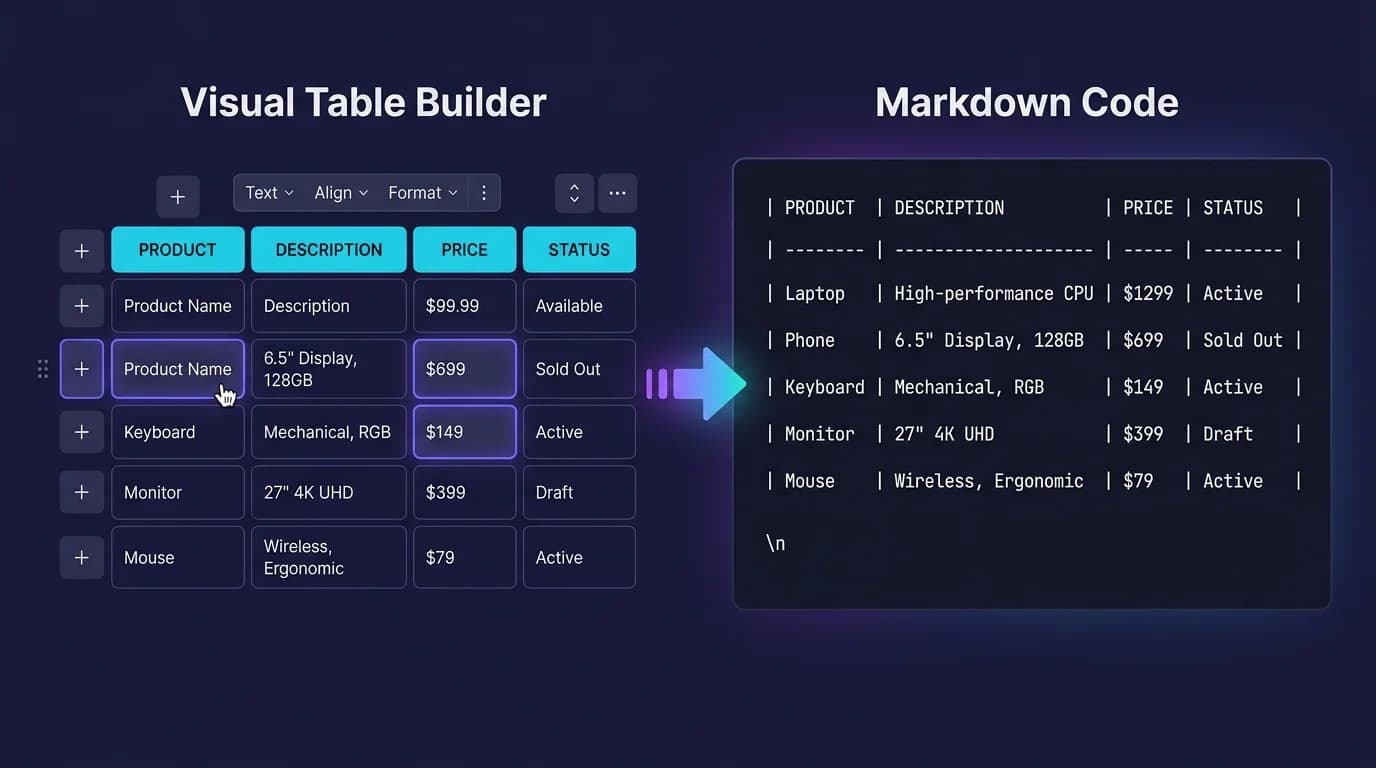
Writing Markdown tables by hand is tedious. Really tedious. Beyond three columns, counting pipes, aligning hyphens, and keeping rows consistent across dozens of cells wastes time that a markdown table generator eliminates in seconds. These tools let you create tables visually — through a spreadsheet-like grid, a file import, or a natural language prompt — then copy the clean Markdown syntax into your document. In 2026, searches for markdown table generator hit 2,400 per month (DataForSEO), signaling that developers and writers actively look for faster ways to produce table markup. To preview generated tables locally, MacMD Viewer is a native macOS Markdown viewer ($19.99, SwiftUI, 5.4 MB download) that renders tables instantly — it does not require a browser or internet connection.
TL;DR: Tables Generator for visual editing. Table Convert for CSV/Excel import. VS Code Table Formatter for in-editor formatting. ChatGPT/Claude for natural language generation. Typora for WYSIWYG table creation.
Why Use a Markdown Table Generator?
Hand-typing pipes and alignment dashes is error-prone for wide tables. One misplaced pipe breaks everything. Re-aligning columns after adding a long cell value means editing every single row in the document. A markdown table generator solves this by abstracting the syntax away — you work with a visual grid or import structured data, and the tool outputs correctly formatted Markdown.
Generators are especially valuable when you need to convert existing data. If your source is a CSV export, a Google Sheets range, or a JSON API response, manually rewriting it as pipe-delimited text is busywork. A markdown table generator handles the conversion in one step, preserving column order and cell content exactly as provided. For the underlying syntax these tools produce, see our complete Markdown table syntax guide.
What Are the 5 Best Markdown Table Generators?
1. Tables Generator — Visual Editor with Multiple Export Formats
Tables Generator provides a spreadsheet-like interface directly in the browser. Click cells. Type content. Add rows and columns. The tool writes the Markdown table syntax in real time. It supports paste from Excel and Google Sheets, which means you can copy a range of cells from a spreadsheet and get formatted Markdown output instantly.
Beyond Markdown, Tables Generator exports to HTML, LaTeX, plain text, and MediaWiki. This makes it the most versatile markdown table generator for writers who publish across multiple platforms. The interface is straightforward — no sign-up, no account, no downloads. Open the page and start building.
2. Table Convert — Convert CSV, Excel, and JSON to Markdown
Table Convert specializes in format conversion. Import a CSV file. Paste JSON data. Upload an Excel sheet. The tool converts any of these to a clean Markdown table with correct column alignment and consistent spacing between cells. It also works in reverse: paste Markdown and export to CSV, JSON, or SQL INSERT statements.
The bidirectional conversion is what sets Table Convert apart from general-purpose generators. If you maintain documentation alongside a database or API, this markdown table generator lets you sync data between formats without rewriting anything manually. The free tier handles most use cases with no restrictions on table size.
3. VS Code Table Formatter — Format Tables In-Editor
The Table Formatter extension for VS Code auto-aligns pipes and spacing in existing Markdown tables. Select a messy table. Run the format command. Every column snaps into alignment. It does not generate tables from scratch, but it cleans up hand-typed or pasted tables instantly — making the raw source as readable as the rendered output.
This extension pairs well with any external markdown table generator. Build your table in Tables Generator or Table Convert, paste the output into VS Code, and the formatter ensures consistent spacing across your document. For developers who spend most of their time in the editor, this workflow avoids context-switching entirely. See our Markdown app roundup for Mac for more VS Code extensions.
4. ChatGPT / Claude — Describe a Table in Natural Language
AI models are surprisingly effective as markdown table generators. Describe what you need — "a comparison table of 5 static site generators with columns for name, language, build speed, and popularity" — and ChatGPT or Claude returns valid Markdown syntax with populated data. The output usually needs light editing for accuracy, but the structure is correct and ready to paste.
This approach works best for comparison tables, feature matrices, and structured summaries where the AI can draw on its training data. For tables based on your own proprietary data, paste the raw numbers into the prompt and ask the model to format them as Markdown. The result is faster than any visual editor for ad-hoc tables.
5. Typora — WYSIWYG Table Editor
Typora renders Markdown inline as you type, including tables. Type the header row syntax or use the menu (Paragraph > Table) and Typora displays a fully formatted grid immediately. Click any cell to edit. Right-click to add or remove rows and columns. Simple. The underlying Markdown stays clean and syntactically valid throughout the entire editing process regardless of table complexity.
As a markdown table generator, Typora stands out because you never leave the writing environment. No copy-paste step. No tab switching. You build the table directly in the same document you are editing, which makes the entire workflow feel seamless and integrated compared to using an external web-based generator tool. The trade-off is that Typora costs $14.99 and runs on Electron, which means higher memory usage than native tools. For a lightweight alternative on Mac, see our best Markdown viewer for Mac comparison.
How Do These Generators Compare?
Each markdown table generator serves a different workflow. The table below summarizes the key differences across price, platform, data import support, and best use case.
| Tool | Price | Platform | CSV/Excel Import | Best For |
|---|---|---|---|---|
| Tables Generator | Free | Browser | Yes (paste) | Visual editing, multi-format export |
| Table Convert | Free | Browser | Yes (file upload) | Data format conversion |
| VS Code Table Formatter | Free | VS Code | No | Formatting existing tables |
| ChatGPT / Claude | Free / Paid | Browser / API | Via prompt | Comparison tables, ad-hoc generation |
| Typora | $14.99 | Mac / Win / Linux | No | WYSIWYG editing inside documents |
For most users, Tables Generator or Table Convert covers 90% of needs. Pair either with the VS Code Table Formatter extension for in-editor cleanup, and you have a complete markdown table generator workflow.
Can You Generate Markdown Tables from CSV or Excel?
Yes. This is one of the strongest reasons to use a markdown table generator instead of writing tables by hand — converting structured data that already exists in a spreadsheet or database into properly formatted Markdown syntax without retyping a single cell value or worrying about pipe alignment across dozens of columns and hundreds of rows. Table Convert accepts CSV file uploads and Excel paste, converting them to Markdown with correct column headers and alignment in one step. Tables Generator handles Excel and Google Sheets paste through its visual editor. Pandoc converts CSV files from the command line: pandoc data.csv -t markdown.
The workflow is simple: export your spreadsheet data as CSV, upload or paste it into the markdown table generator of your choice, and copy the output. For large datasets with dozens of rows, this saves minutes of manual pipe-typing. If you regularly convert tabular data into documentation, Table Convert's bidirectional conversion — Markdown to CSV and back — keeps your source of truth synchronized. Check the Markdown Guide for the complete syntax reference that these generators produce.
How Do You Preview Generated Markdown Tables?
After generating a Markdown table, verify it renders correctly — a table that looks perfect in raw syntax can display broken columns or misaligned headers in certain renderers depending on how they interpret pipe spacing, trailing whitespace, and separator row formatting. In VS Code, paste the table into a .md file and press Cmd+Shift+V to open the built-in Markdown preview. Fast. On Mac, open the file in MacMD Viewer for instant rendering with clean borders, header highlighting, and support for tables alongside Mermaid diagrams and code blocks.
Online options work too — paste your generated table into markdownlivepreview.com for a quick browser-based check. For a deeper look at how different renderers display tables, including column alignment and responsive behavior, see our complete Markdown table syntax guide. If you preview Markdown files regularly on Mac, our native vs Electron viewer comparison explains why native tools render tables faster.
Conclusion
Stop hand-typing pipes. A markdown table generator removes the friction entirely. Tables Generator and Table Convert handle visual editing and data import for teams that need to produce documentation from existing spreadsheet data quickly and consistently. VS Code Table Formatter cleans up existing tables. ChatGPT and Claude build tables from natural language descriptions. Typora lets you create tables inside a WYSIWYG editor.
To preview any generated Markdown table with clean rendering on Mac, try MacMD Viewer — a native SwiftUI viewer that displays tables, code blocks, and Mermaid diagrams from any .md file. Check pricing to get started.
Frequently Asked Questions
What is the best free Markdown table generator?
Tables Generator at tablesgenerator.com is the best free option. It provides a visual spreadsheet-like editor, supports paste from Excel, and exports clean Markdown table syntax with one click. No account required.
Can I convert a CSV file to a Markdown table?
Yes. Table Convert at tableconvert.com imports CSV, Excel, and JSON files and exports Markdown tables instantly. For CLI users, Pandoc converts CSV with: pandoc data.csv -t markdown.
Can ChatGPT or Claude generate Markdown tables?
Yes. Describe your table in natural language — columns, rows, data types — and both ChatGPT and Claude return valid Markdown table syntax. This works well for comparison tables and structured summaries.
Is there a VS Code extension for Markdown tables?
Yes. The Table Formatter extension auto-aligns pipes and spacing in existing Markdown tables. For generating new tables, use the Markdown All in One extension or paste output from an online generator.
How do I preview a generated Markdown table?
Paste the syntax into VS Code and press Cmd+Shift+V for the built-in preview. On Mac, open the .md file in MacMD Viewer for instant rendering with borders, header highlighting, and Mermaid diagram support.
Content licensed under CC BY 4.0. Cite with attribution to MacMD Viewer.