 MacMD Viewer
Markdown Editor Mac: 8 Editors Compared on Price and the macOS They Need
For a free Markdown editor on Mac, install MacDown 3000 (source and preview side by side, macOS 11 or later) or MarkEdit (a 4 MB native editor; its current release needs macOS 26). If you'll pay once, Typora costs $14.99 for up to 3 devices after a 15-day trial. If you also write on iPhone and iPad, look at iA Writer ($49.99 once on Mac) or Ulysses ($5.99 a month).
I checked every price and system requirement below on each app's own site, support page or repository on November 3, 2026, and I opened the same test file in the editors I could install. Two things changed this year that older lists miss: Homebrew disabled the casks of the original MacDown and of MarkText on September 1, 2026, because neither passes Apple's Gatekeeper check, and the current release of MarkEdit now requires macOS 26.
One more distinction before the list. If you mostly read Markdown, such as READMEs, docs, or the plans Claude Code and Cursor write, you need a viewer rather than an editor. That's the job I built MacMD Viewer for; it's covered at the end, after the editors.
The 8 editors at a glance
"Not stated" means none of the app's official pages says it, so I don't guess.
| Editor | macOS needed | Price on Mac | Free option | Open source |
|---|---|---|---|---|
| MacDown 3000 | 11 (Big Sur) or later | Free | Fully free | Yes, MIT |
| MarkEdit | 26 for the current release; older releases for 12 to 15 | Free | Fully free | Yes, MIT |
| MarkText | 13 (Ventura) or later | Free | Fully free; unsigned build | Yes, MIT |
| Typora | 11 or later | $14.99 once, before tax | 15-day trial | Not stated |
| Obsidian | Not stated | Free; Sync from $4 a month | Free without limits, commercial use included | Not stated |
| Cogito | 15 (Sequoia) or later, per its update feed | Free during the beta | Free for now; pricing not announced | Not stated |
| iA Writer | 10.15 or later | $49.99 once | 7-day trial | Not stated |
| Ulysses | Not stated | $5.99 a month or $39.99 a year | Not stated on the pricing page | Not stated |
MacDown 3000: the free split-pane editor
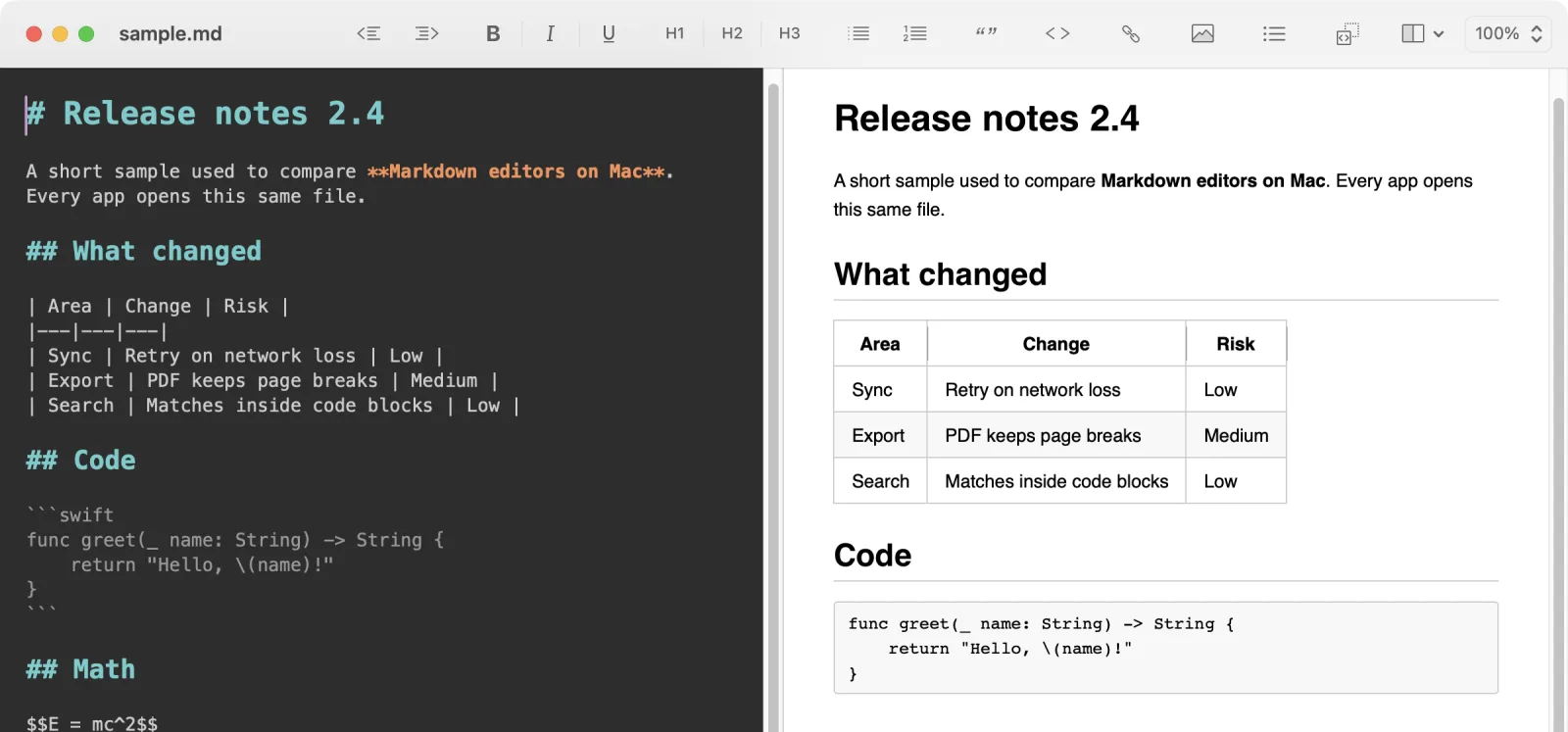
MacDown 3000 continues the original MacDown, whose last stable release, 0.7.3, dates from January 2020. It is free, MIT licensed, and a universal binary for Apple Silicon and Intel. Install it from macdown.app or with brew install --cask macdown-3000. The current stable version is 3000.0.8.
- Free: everything.
- Limit: needs macOS 11 (Big Sur) or later. The original MacDown's site still offers 0.7.3, and its Homebrew cask is disabled: make sure you download "MacDown 3000".
- For: former MacDown users, and anyone who wants to see the raw Markdown and the result at the same time.
My verdict: the free editor I'd install first on most Macs. It runs back to Big Sur, and when I installed it with Homebrew it opened without a Gatekeeper prompt. More detail in MacDown 3000 vs MacMD Viewer and the MacDown alternatives roundup.
MarkEdit: a 4 MB native editor
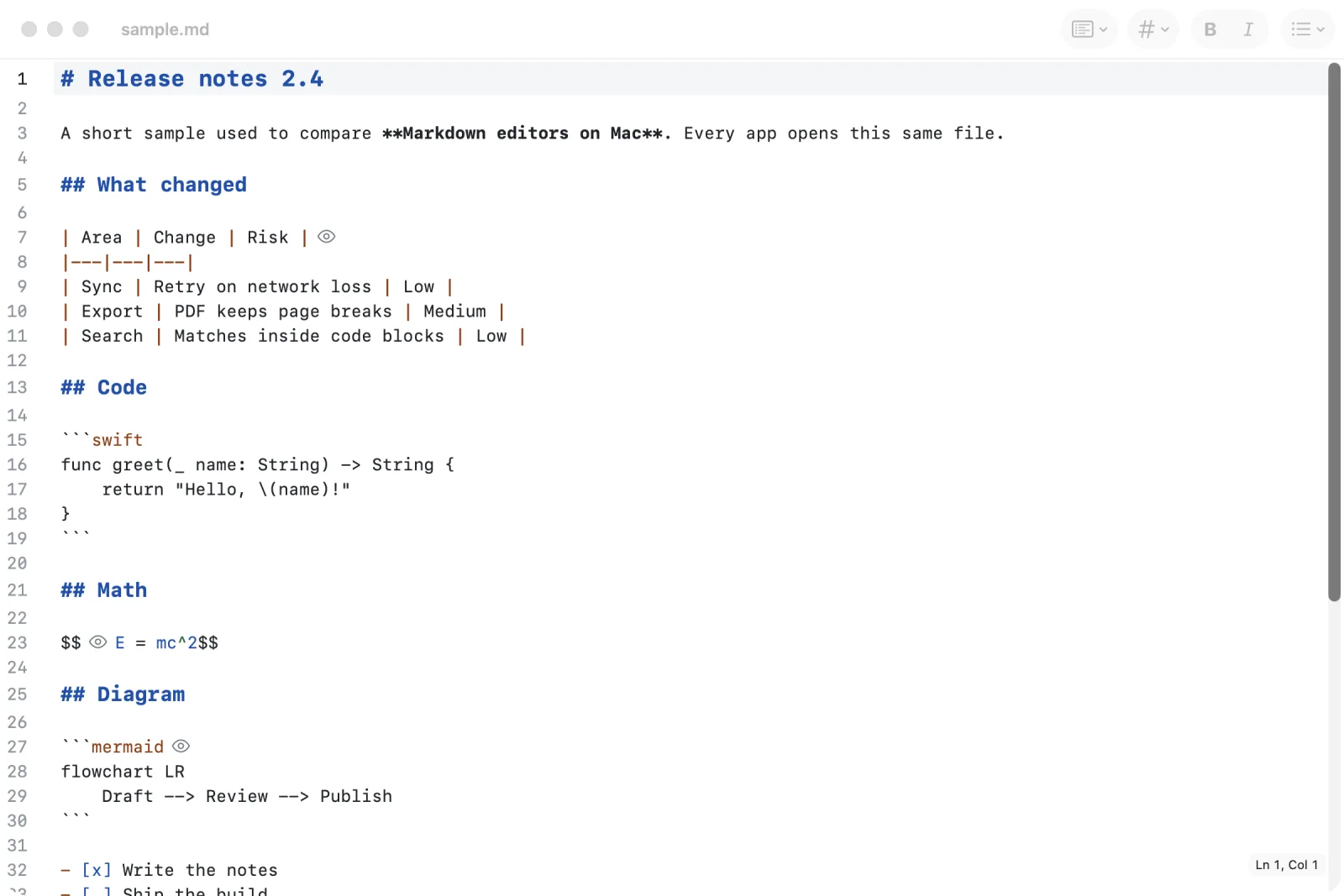
MarkEdit describes itself as "just like TextEdit on Mac but dedicated to Markdown". It's free, MIT licensed, and its installer is about 4 MB. Install the DMG from its GitHub repository or with brew install --cask markedit.
- Free: everything, plus Shortcuts and AppleScript support and an extension manager. Its README says it collects no user data.
- Limit: the current release needs macOS 26; older Macs need one of its separate releases for macOS 12 to 15. It's a source editor: you see highlighted Markdown, not the formatted page.
- For: people who write raw Markdown and want the editor to stay out of the way.
My verdict: the best fit if TextEdit is what you wish you could use for Markdown. Install it from GitHub or Homebrew: the old address markedit.app now redirects to a different, paid product (AnnexEdit).
MarkText: free WYSIWYG, but unsigned
MarkText is a free, MIT-licensed editor with a realtime preview: the syntax turns into formatting as you type. It supports CommonMark and GitHub Flavored Markdown, math expressions, front matter, export to HTML and PDF, and source code, typewriter and focus modes. Version 0.23.0 shipped on October 21, 2026.
- Free: everything.
- Limit: its release notes say the macOS builds are unsigned, with no Apple Developer ID. After moving it to Applications you have to run
xattr -d com.apple.quarantine /Applications/MarkText.apponce before macOS lets it open. Homebrew disabled its cask on September 1, 2026 for the same reason. It needs macOS 13 or later and runs on Linux and Windows too. - For: people who want Typora-style editing for free and are comfortable clearing a quarantine flag in Terminal.
My verdict: I didn't install it, because of that unsigned build. Its feature list covers what most people need, but the install step isn't one I'd hand to a non-technical colleague. If that step bothers you, take MacDown 3000. The MarkText comparison has more.
Typora: the paid editor that hides the syntax
Typora costs $14.99 once, before tax, for up to 3 devices, after a 15-day free trial. Its support site lists macOS 11 or later.
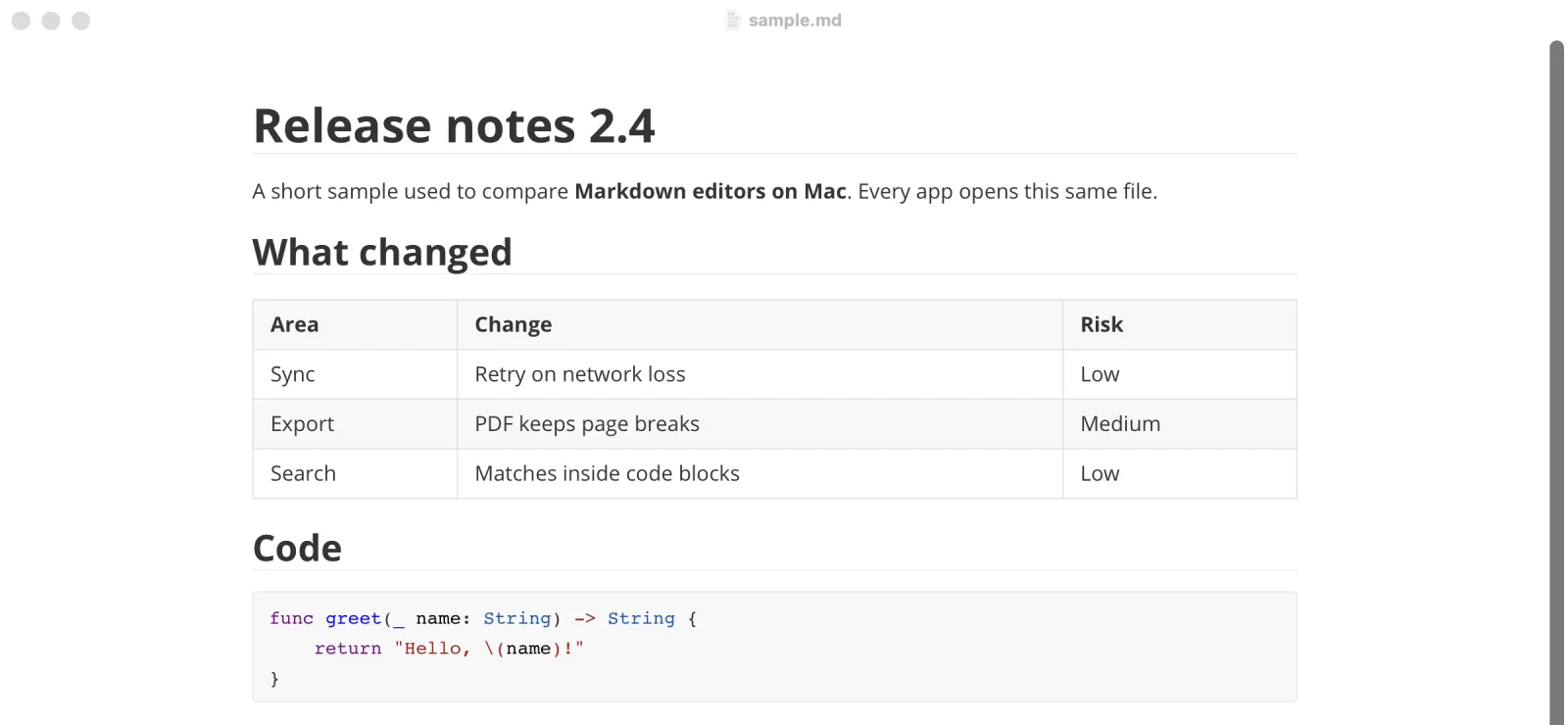
- Features: live preview that hides Markdown symbols as you type, export to PDF with bookmarks, Word (docx), OpenOffice, MediaWiki and Epub, math with MathJax, and Mermaid diagrams.
- Limit: paid after 15 days.
- For: people who hand in Word or Epub files, not only
.md.
My verdict: the cheapest of the paid editors. $14.99 once covers three machines, with math and Mermaid in the same app. See Typora vs MacMD Viewer.
Obsidian: a Markdown notes app, free without limits
Obsidian's pricing page says the app is "free without limits", with no sign-up, and a commercial license is optional. Paid extras: Sync at $4 a month billed yearly ($5 monthly), Publish at $8 a month billed yearly ($10 monthly), and a $50 per user per year commercial license.
- Features: notes stored locally as plain-text Markdown files, links between notes, a graph view, and "thousands of plugins and themes".
- For: people building a set of linked notes.
My verdict: pick it for a knowledge base. To edit a single .md file, it's more than you need. More in Obsidian vs MacMD Viewer.
Cogito: native, free while in beta
Cogito (version 0.12.3 when I installed it) is free during its beta, and its author hasn't announced pricing. Its homepage says "macOS Tahoe 26 required", but its release notes added Sequoia support in April 2026 and its update feed lists macOS 15.0 as the minimum.
- Features: a native editor with a preview that scrolls in sync, Obsidian-style wiki links, Mermaid diagrams, math, tables, PDF export of the preview, and plain files on disk that AI agents can read and write.
- What I saw on first launch: a four-step welcome that asks you to add a folder ("Location"), with the anonymous-metrics box ticked by default; you can untick it.
- Limit: macOS 15 or later, beta software, future price unknown.
My verdict: worth a try if you want Mermaid and wiki links in a native editor. I wouldn't move a whole workflow onto a beta with an open price.
iA Writer: for writers on Mac, iPhone and iPad
iA Writer costs $49.99 once on Mac, with a 7-day free trial; subscriptions aren't offered on Mac. It needs macOS 10.15 or later and also runs on Windows 10 or later and iOS 15 or later.
- For: writers who move between Mac and iOS devices.
My verdict: the highest one-time price here. It's worth it when you also write on iPhone or iPad; on Mac alone, Typora costs less.
Ulysses: a subscription writing app
Ulysses costs $5.99 a month or $39.99 a year, for Mac, iPad and iPhone, and it's also part of Setapp. Its pricing page doesn't mention a trial.
- For: writers who want a subscription that includes the iPad and iPhone apps.
My verdict: two years of the yearly plan cost $79.98, against $49.99 once for iA Writer. If you already pay for Setapp, Ulysses comes with it and that math no longer applies.
What other lists miss
I read Google's first page for "markdown editor mac" (United States, desktop) on November 3, 2026: eight results and an AI Overview. None of them gave the macOS version each editor needs, and none mentioned that Homebrew disabled the original MacDown and MarkText.
The macOS version decides what you can run. Requirements go from macOS 10.15 to macOS 26: MarkEdit's current release needs 26, Cogito 15, MarkText 13, and MarkEdit's older releases start at 12. On a Mac stuck on Big Sur (macOS 11), only MacDown 3000, Typora and iA Writer remain.
"Editor" and "reader" get mixed up. Typora's page title reads "simple yet powerful Markdown reader", while its tagline says "A minimal Markdown editor and reader". Google's "People also ask" box for this search, the same day, included "What is the best Markdown viewer for Mac?". Plenty of people who type "editor" want to read Markdown. An editor works for that, but it opens every file ready to be changed.
If you only need to read Markdown
That's the case I built MacMD Viewer for. It's a read-only viewer, not an editor: it never modifies your files. It previews .md files in Finder with Quick Look (press Space), renders Mermaid diagrams and highlighted code, reloads when your editor or a coding agent saves the file, and exports to PDF. It costs $19.99 once, before tax and needs macOS 14 or later. You still write in one of the editors above; ⇧⌘E opens the current file in the editor you choose. To compare viewers rather than editors, read the guide to Markdown viewers for Mac.
Frequently Asked Questions
Is there a free Markdown editor for Mac?
Yes. MacDown 3000, MarkEdit and MarkText are free and open source under the MIT license. Obsidian is free without limits, commercial use included. Cogito is free while it is in beta. Checked November 3, 2026.
Does Mac have a built-in Markdown editor?
No. TextEdit opens a .md file as plain text and does not render it. MarkEdit describes itself as just like TextEdit, dedicated to Markdown.
Is there an open source Markdown editor for macOS?
Yes: MacDown 3000, MarkEdit and MarkText, all MIT licensed with their source on GitHub. MarkText's macOS builds are unsigned, so macOS blocks them until you clear the quarantine flag.
How do I open a Markdown file on a Mac?
Right-click the file, choose Open With and pick an editor such as MacDown 3000 or Typora. To read it formatted without opening an editor, select it in Finder and press Space with a Quick Look extension such as MacMD Viewer installed.
What is the best Markdown viewer for Mac?
A viewer is for reading Markdown, not writing it. The guide to Markdown viewers for Mac compares 16 of them, free and paid.
Is Obsidian just a Markdown editor?
No. Obsidian stores notes locally as plain-text Markdown files and adds links between notes, a graph view and thousands of plugins and themes. It is a notes app built on Markdown files.
Sources
All read on November 3, 2026: MacDown 3000 and its repository · original MacDown · MarkEdit · MarkText and its releases · Typora and its system requirements · Obsidian pricing and home · Cogito, its release notes and update feed · iA Writer pricing · Ulysses pricing · Homebrew cask status read with brew info --cask.
Content licensed under CC BY 4.0. Cite with attribution to MacMD Viewer.