Mermaid Sequence Diagram: Complete Syntax Guide with Examples
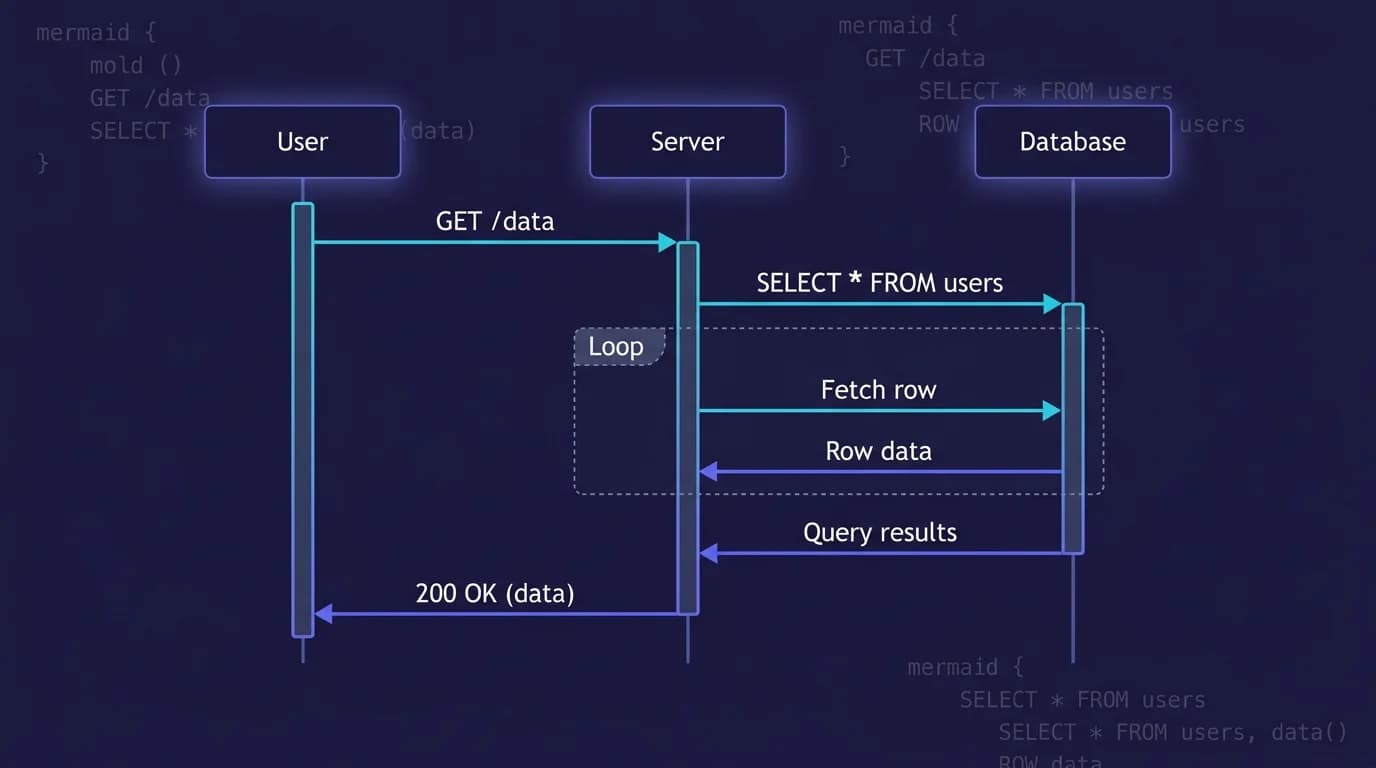
TL;DR: A Mermaid sequence diagram is a text-based visualization of message exchanges between actors or systems over time. Start with the keyword
sequenceDiagram, declare participants, then connect them with arrows —->>for requests,-->>for responses. Useactivate/deactivatefor processing spans andalt/opt/loop/parblocks for branching and concurrency.
Mermaid sequence diagrams map how components exchange messages over time. API calls between client and server, authentication handshakes, microservice orchestration, WebSocket lifecycles — any interaction where order matters becomes clearer when drawn as a sequence diagram. You define the entire diagram in plain text inside a Markdown code fence, and any Mermaid-compatible renderer produces polished output from that text.
Search interest for mermaid sequence diagram syntax grew 60% year-over-year (DataForSEO, 2026), driven by teams adopting diagrams-as-code for technical documentation. This guide walks through every syntax element — participants, arrow types, activations, notes, conditional blocks, loops, and parallel execution — with copy-paste examples you can drop into your own Markdown files. To render these diagrams locally, MacMD Viewer is a native macOS Markdown viewer ($19.99, SwiftUI, 5.4 MB download) that displays sequence diagrams offline — it does not require a browser extension or internet connection.
In one line: Mermaid sequence diagrams use
sequenceDiagramsyntax with six arrow types,activate/deactivatefor processing spans, andalt/opt/loop/parblocks for branching and concurrency — all renderable offline in MacMD Viewer or instantly in the Mermaid Live Editor.
| Feature | Syntax | Purpose |
|---|---|---|
| Participant | participant Name | Declare a lifeline |
| Solid arrow | ->> | Synchronous request |
| Dashed arrow | -->> | Response / return |
| Activation | activate / deactivate | Show processing time |
| Note | Note right of X: text | Add context |
| Alt block | alt / else / end | Conditional branches |
| Loop | loop Label / end | Repeated messages |
| Parallel | par / and / end | Concurrent execution |
Preview your diagrams locally with MacMD Viewer or online at mermaid.live.
What Is a Mermaid Sequence Diagram?
A mermaid sequence diagram is a text-based visualization of message exchanges between actors or systems over time. You write it inside a ```mermaid code fence starting with the keyword sequenceDiagram, and the renderer draws vertical lifelines with horizontal arrows showing the order of interactions. Each arrow represents a message — a request, a response, an error, or an asynchronous event. The vertical axis represents time flowing downward.
Developers use mermaid sequence diagrams for API documentation, OAuth and JWT authentication flows, microservice communication patterns, debugging distributed systems, and onboarding new team members who need to understand how services talk to each other. The syntax lives in the same repository as the code it documents, so version control tracks every change. The official Mermaid sequence diagram documentation covers the full specification.
How Do You Write Basic Mermaid Sequence Diagram Syntax?
Every mermaid sequence diagram starts with the keyword sequenceDiagram, followed by participant declarations and message arrows. Participants appear as vertical lifelines. Arrows between them represent messages sent in chronological order from top to bottom.
Here is a minimal example showing a client-server-database interaction:
sequenceDiagram
    participant Client
    participant Server
    participant Database
    Client->>Server: GET /api/users
    Server->>Database: SELECT * FROM users
    Database-->>Server: Results
    Server-->>Client: 200 OK (JSON)
The participant keyword declares each lifeline explicitly. If you omit participant declarations, Mermaid creates them implicitly on first mention — but explicit declarations give you control over the left-to-right ordering. Use actor instead of participant when you want a stick-figure icon representing a human user rather than a rectangular box.
Arrow Types
Mermaid provides six arrow styles, each conveying different semantics:
->>— solid line with arrowhead (synchronous request)-->>— dashed line with arrowhead (response or return value)-x— solid line with cross (failed delivery)--x— dashed line with cross (failed response)-)— solid line with open arrowhead (asynchronous fire-and-forget)--)— dashed line with open arrowhead (asynchronous response)
Message labels follow the arrow syntax after a colon. Keep labels concise — they sit on the arrow and long text clutters the diagram.
Aliases for Long Names
When participant names are lengthy, aliases keep the syntax readable:
sequenceDiagram
    participant A as Authentication Service
    participant G as API Gateway
    participant U as User Database
    A->>G: Validate token
    G->>U: Fetch user record
    U-->>G: User object
    G-->>A: Validated
The alias (A, G, U) appears in the syntax while the full name appears on the rendered diagram. This pattern scales well when your diagram involves five or more services with descriptive names.
How Do You Add Activations and Notes?
Activations show when a participant is actively processing a request. Notes add contextual information outside the message flow. Both features make sequence diagrams more informative without adding extra messages.
Activations
Use activate and deactivate to draw a shaded rectangle on a lifeline during processing:
sequenceDiagram
    Client->>Server: POST /api/login
    activate Server
    Server->>Database: Verify credentials
    activate Database
    Database-->>Server: User found
    deactivate Database
    Server-->>Client: 200 OK + JWT
    deactivate Server
A shorthand syntax exists: append + to the arrow for activation and - for deactivation. The example above becomes Client->>+Server: POST /api/login and Server-->>-Client: 200 OK + JWT. Nested activations stack visually, showing when a participant handles multiple concurrent tasks.
Notes
Notes attach explanatory text to specific positions in the diagram:
sequenceDiagram
    Client->>Server: Request with Bearer token
    Note right of Server: Validates JWT signature
    Note left of Client: Waits for response
    Note over Client,Server: TLS 1.3 encrypted channel
Three placements are available: Note right of, Note left of, and Note over (which spans multiple participants when you separate their names with a comma). Notes are ideal for documenting security constraints, performance expectations, or protocol details that do not correspond to actual messages on the wire.
What Are the Advanced Sequence Diagram Features?
Mermaid supports conditional blocks, optional blocks, loops, parallel execution, critical regions, and breaks. These constructs model real-world control flow inside the diagram itself, reducing the need for supplementary prose.
Conditional Blocks (alt/else)
The alt block represents branching logic — equivalent to an if/else statement. Exactly one branch executes:
sequenceDiagram
    Client->>Server: Login request
    alt Valid credentials
        Server-->>Client: 200 OK + JWT
    else Invalid credentials
        Server-->>Client: 401 Unauthorized
    end
Optional Blocks (opt)
The opt block represents logic that may or may not execute — an if without an else:
sequenceDiagram
    Client->>Server: GET /api/profile
    opt Cache miss
        Server->>Database: Fetch from DB
        Database-->>Server: Profile data
    end
    Server-->>Client: Profile response
Loops
The loop block wraps repeated interactions:
sequenceDiagram
    Client->>Server: Subscribe to events
    loop Every 30 seconds
        Server-->>Client: Heartbeat ping
        Client-->>Server: Pong
    end
Parallel Execution (par)
The par block shows concurrent message flows:
sequenceDiagram
    participant API
    participant Auth
    participant Cache
    participant DB
    API->>Auth: Validate token
    par Fetch from cache
        API->>Cache: GET user:123
    and Fetch from database
        API->>DB: SELECT * FROM users WHERE id=123
    end
    Cache-->>API: Cache hit
    DB-->>API: Row data
Additional Features
Several other constructs round out the mermaid sequence diagram toolkit:
autonumber— adds sequential numbers to every arrow, making it easy to reference specific steps in written documentationrect rgb(200, 220, 255)— draws a colored background rectangle around a group of messages for visual emphasiscritical/option/end— marks a critical region with fallback pathsbreak/end— exits the current flow on a condition (like an early return)
Combining these blocks creates diagrams that document not just the happy path but every branch, retry loop, and failure mode in a distributed system.
What Are Real-World Mermaid Sequence Diagram Examples?
Three practical examples that developers actually encounter in production systems. Each is a complete, copyable mermaid sequence diagram you can paste into any .md file.
Example 1: REST API Authentication (JWT)
sequenceDiagram
    autonumber
    actor User
    participant Client
    participant AuthServer
    participant ResourceAPI
    User->>Client: Enter credentials
    Client->>AuthServer: POST /auth/token
    activate AuthServer
    AuthServer->>AuthServer: Validate password hash
    alt Valid
        AuthServer-->>Client: 200 + access_token + refresh_token
    else Invalid
        AuthServer-->>Client: 401 Unauthorized
    end
    deactivate AuthServer
    Client->>ResourceAPI: GET /data (Bearer token)
    activate ResourceAPI
    Note right of ResourceAPI: Verify JWT signature
    ResourceAPI-->>Client: 200 OK + payload
    deactivate ResourceAPI
    Client-->>User: Display data
Example 2: Microservice Order Processing
sequenceDiagram
    participant Gateway
    participant OrderSvc
    participant PaymentSvc
    participant InventorySvc
    Gateway->>OrderSvc: Create order
    activate OrderSvc
    par Charge payment
        OrderSvc->>PaymentSvc: Process $49.99
        activate PaymentSvc
        PaymentSvc-->>OrderSvc: Payment confirmed
        deactivate PaymentSvc
    and Reserve stock
        OrderSvc->>InventorySvc: Reserve 1x Widget
        activate InventorySvc
        InventorySvc-->>OrderSvc: Stock reserved
        deactivate InventorySvc
    end
    OrderSvc-->>Gateway: Order confirmed #1234
    deactivate OrderSvc
Example 3: WebSocket Connection Lifecycle
sequenceDiagram
    participant Browser
    participant Server
    Browser->>Server: HTTP Upgrade request
    Server-->>Browser: 101 Switching Protocols
    Note over Browser,Server: WebSocket connection open
    loop While connected
        Browser->>Server: Send message (JSON)
        Server-->>Browser: Acknowledge
        opt Server push
            Server->>Browser: Push notification
        end
    end
    Browser->>Server: Close frame
    Server-->>Browser: Close acknowledgment
    Note over Browser,Server: Connection terminated
Each example demonstrates multiple syntax features working together. The JWT flow uses autonumber, alt, and activations. The order processing example combines par with nested activations. The WebSocket lifecycle nests opt inside loop. Adapting these templates to your own systems takes minutes rather than hours.
How Do You Preview Mermaid Sequence Diagrams?
Four options depending on your workflow and where your Markdown files live:
- MacMD Viewer ($19.99) — open any
.mdfile containing a mermaid sequence diagram and see it rendered instantly. Native SwiftUI, 16 MB installed, live file watching. The Mermaid feature page has details. Available as a one-time purchase — direct download or Homebrew, not on the Mac App Store. - Mermaid Live Editor — paste your sequence diagram syntax into the left panel and the rendered output appears on the right. Free, no account required. Best for quick iteration before committing to a file.
- VS Code — install the Markdown Mermaid extension, then open the built-in Markdown preview with
Cmd+Shift+Vto see diagrams rendered alongside your text. - GitHub — renders Mermaid natively in any
.mdfile. Push your sequence diagram in a```mermaidcode fence and GitHub displays the visual output on the repository page.
For a full comparison of browser-based options, see the mermaid diagram online tools guide. The best Markdown viewer for Mac comparison ranks seven viewers by feature set.
Mermaid sequence diagram syntax covers every pattern you encounter in distributed systems: participants, six arrow types, activations, notes, conditional branches with alt/opt, repeating flows with loop, and concurrent execution with par. The text-based format means your diagrams live in version control alongside the code they document. Copy the examples above, adapt them to your architecture, and preview the results instantly in MacMD Viewer ($19.99) or any Mermaid-compatible renderer.
Tools for Working With Mermaid Sequence Diagrams
To render a sequence diagram from the syntax above without leaving the browser, paste it into the MacMD Viewer Mermaid Viewer. To export the rendered diagram as a PNG (for documentation, slides, or wikis), use the Mermaid to PNG tool — same paste workflow, one-click PNG download.
If you write technical docs in Markdown on a Mac, the MacMD Viewer app renders .md files containing sequence diagrams natively in Finder via QuickLook, no Electron, no plugins.
FAQ
What arrow types are available in Mermaid sequence diagrams?
Six arrow types exist. Solid arrow (->>), dashed arrow (-->>), solid cross (-x), dashed cross (--x), solid async (-)), and dashed async (--)). Solid arrows represent requests, dashed arrows represent responses, crosses indicate failures, and async arrows show fire-and-forget messages.
Can I add colors to a Mermaid sequence diagram?
Yes. Wrap messages inside a rect rgb(R, G, B) block and Mermaid draws a colored rectangle behind those interactions. You can nest multiple rect blocks to highlight different phases — authentication, data retrieval, error handling — each in a distinct color.
How do I show parallel requests in a sequence diagram?
Use the par block. Write par Request A, add the messages for that branch, then and Request B with its messages, and close with end. Mermaid renders both branches side by side on the timeline. You can chain as many and blocks as needed for additional parallel paths.
What is the difference between alt and opt in Mermaid?
alt/else represents conditional branching where exactly one path executes — equivalent to if/else in code. opt represents an optional block that may or may not run, like an if statement without an else clause. Use alt when you have mutually exclusive outcomes and opt when the action is entirely skippable.
Can MacMD Viewer render Mermaid sequence diagrams?
Yes. MacMD Viewer renders all Mermaid diagram types including sequence diagrams in local .md files on Mac. Open the file and the diagram appears instantly. The QuickLook extension also renders Mermaid when you press Space on a .md file in Finder.
Content licensed under CC BY 4.0. Cite with attribution to MacMD Viewer.